Build Interactive ROI Calculators with Enablism Webflow App
For Webflow teams, Enablism creates interactive calculators that help site visitors weigh costs, ROI, and savings.
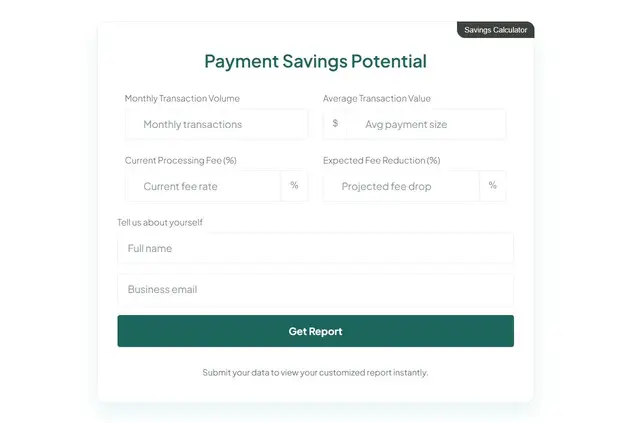
Enablism works inside the Webflow Designer to add calculators to your published site. Describe a product and its value in plain language, and its AI builder generates the calculator’s formulas, logic, and inputs.
You can revise fields, labels, and design before adding a calculator through a Webflow Designer Extension. It can use your site’s colors and typography, with layouts for desktop, tablet, and mobile.
What Enablism does
Offer visitors a way to estimate return on investment, total cost of ownership, or savings. Once visitors submit contact details, they can receive results based on their information.
Enablism sends calculator submissions and value data to HubSpot and Salesforce. The app is paid. When installed, it can edit sites and read your user profile.
Where it fits
Enablism is suited to SaaS companies, agencies, professional services, fintech, and insurance. These teams can use calculators to help visitors assess a product’s financial value, while collecting details from people considering it.
Enablism FAQ
How do I add an Enablism calculator in Webflow?
Add the calculator through a Webflow Designer Extension.
Can I edit the calculator after it is generated?
Yes. You can change its inputs, labels, and design.
Can a calculator use my site’s visual style?
Yes. It can use your site’s typography and colors, and adjust its layout for desktop, tablet, and mobile.
What can visitors receive after submitting their contact details?
They can receive personalized value results.
Which platforms receive Enablism calculator data?
Enablism sends submissions and value data to HubSpot and Salesforce.