Add Appointment Booking to Your Site with CozyCal Webflow App
Give visitors an on-site way to book appointments and events, while you manage scheduling through CozyCal.
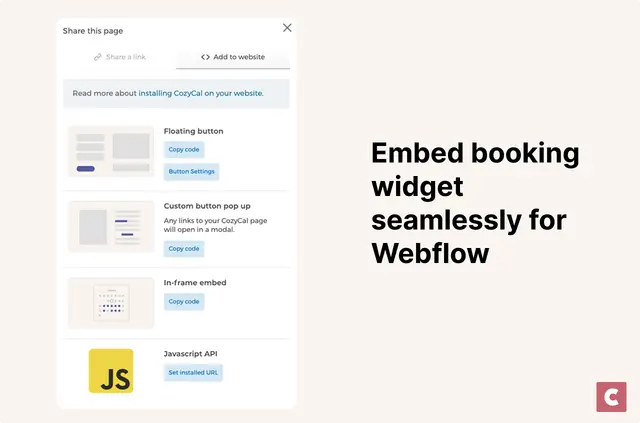
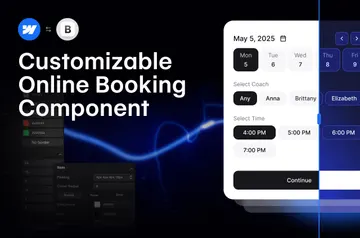
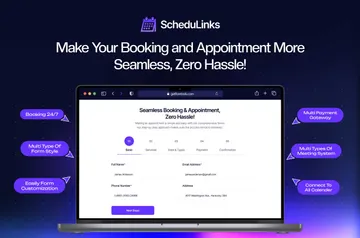
Visitors book appointments or events in a widget on your Webflow site, rather than being sent to a separate booking page. Set availability, event types and booking page appearance in CozyCal; those settings carry over to the widget.
Install the Webflow Designer Extension, connect your CozyCal account, then add the widget to selected pages or site-wide. CozyCal is paid and includes a 10-day trial with full feature access; you can start without a credit card.
When it's a good fit
CozyCal suits solo professionals scheduling appointments and businesses coordinating bookings across a team. Assign bookings by round-robin or priority ranking, and coordinate team members with rooms or equipment.
It can also support group events, shared resources and session packages. Multi-guest bookings, intake forms, booking requests and timezone detection provide options for different booking needs. Stripe connections support payments, coupons, event tickets, add-ons and prepaid multi-session packages.
What it asks for
CozyCal is listed as a paid app. When you install it, the Webflow access it requests is permission to edit custom code. Its trial provides full feature access for 10 days, with no credit card required to start.
Questions about CozyCal
How do I add CozyCal to a Webflow site?
Install the Webflow Designer Extension and connect your CozyCal account. Then place the widget on selected pages or across your site.
Where do I use CozyCal once it's installed?
Visitors book appointments and events in the embedded widget on your Webflow pages, without leaving your site for an external booking page.
Can CozyCal sync availability with my calendar?
CozyCal syncs availability with Google Calendar and Outlook. It also sends customizable email and SMS reminders.
Can CozyCal add video meeting links to bookings?
Yes. Bookings can include automatically generated Zoom or Google Meet links.
Can I use my own branding with CozyCal?
CozyCal offers custom booking domains, the option to remove CozyCal branding, and notifications sent from your own email domain.