WebGL Effects Webflow Cloneables
Explore a variety of WebGL Effects Webflow Cloneables for stunning website animations. Easily add these unique cloneables to your Webflow project for captivating visual effects.




How can you add WebGL effects in Webflow?
You can add WebGL effects in Webflow by integrating libraries like Three.js or PixiJS. Use an embed code block to insert custom JavaScript and WebGL shaders. For interactive effects, link WebGL elements to Webflow interactions using custom scripts. If you're looking for a quicker solution, leverage Webflow cloneables that already include WebGL effects to save time and effort. These cloneables often contain pre-configured Three.js elements, making it easier to achieve dynamic visuals like particle effects, 3D animations, or fluid simulations without extensive coding.
What are some common types of WebGL effects used in Webflow to enhance visual interactions?
WebGL effects in Webflow enhance visual interactions with dynamic, GPU-powered graphics. Common effects include particle systems for animated backgrounds, fluid simulations for organic motion, and shader-based effects like noise distortion and color grading. Other popular choices are 3D model rendering, interactive image displacement, and parallax scrolling with depth mapping. These effects often utilize libraries like Three.js or custom GLSL shaders, integrated within Webflow’s Embed element. They create immersive experiences, adding interactivity and motion responsiveness to websites while maintaining performance optimization through hardware acceleration.
What are the best Webflow cloneables that incorporate WebGL effects?
Best Webflow Cloneables Incorporating WebGL Effects
If you're looking to enhance your Webflow projects with WebGL-based visual effects, the following cloneables offer compelling solutions:
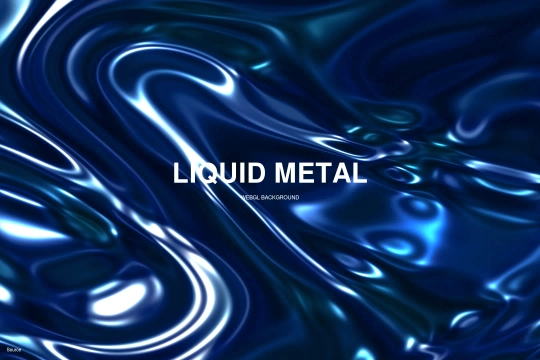
- Liquid Metal WebGL Background Cloneable for Webflow
This cloneable introduces a mesmerizing liquid metal background effect using WebGL, perfect for creating modern, high-tech, or futuristic website designs. Ideal for landing pages, portfolio sites, and immersive web experiences.
- Creative Image Distortion Text Hover Effects Using Three.js | Webflow Cloneable
Utilize this cloneable to add dynamic image distortion and hover effects using Three.js, a powerful WebGL library. This effect is great for interactive UI/UX elements, especially for creative portfolios or agency websites.
- Create Stunning GLSL Visual Effects with Webflow Cloneable
This cloneable offers advanced GLSL-based visual effects, allowing for custom shaders and animations. Best suited for projects requiring unique, high-performance animations or experimental web designs.
Conclusion
Each of these Webflow cloneables leverages WebGL to enhance visual storytelling and interactivity. Whether you're designing a futuristic background, interactive hover effects, or custom visuals using GLSL shaders, these tools provide excellent starting points for integrating cutting-edge web experiences into your Webflow projects.