Mockup Webflow Cloneables
Explore a variety of Mockup Webflow cloneables to enhance your website design. Easily copy and implement these customizable design elements on your Webflow site.
4 cloneables



Questions about Mockup cloneables
How can you create mockups in Webflow?
You can create mockups in Webflow by using div blocks and images to simulate device screens. Upload your mockup image (e.g., a phone or laptop frame) and place it as a background or absolute-positioned image. Then, use an embedded video or screenshot inside the frame to showcase your content. You can also use interactions to add scroll or hover effects for a more dynamic presentation. For an easier setup, explore Webflow cloneables that come with pre-built mockups, allowing you to swap in your content quickly.
What are some effective ways to use mockups in Webflow for showcasing designs?
Mockups in Webflow can effectively showcase designs by embedding images or videos within realistic device frames. Use div blocks to structure the mockup layout and apply absolute positioning or CSS grid to overlay content precisely. Webflow’s interactions can add dynamic effects like scroll animations or hover transitions for an engaging presentation. Embedding Figma or Photoshop exports as transparent PNGs or using SVG mockups ensures sharp visuals. Additionally, integrating Webflow’s CMS allows easy updates for dynamic mockup galleries. Pre-built mockup cloneables in Webflow provide a quick start for polished, responsive design presentations.
What are the best Webflow cloneables for showcasing mockups effectively?
The Top Webflow Cloneables for Showcasing Mockups Effectively
If you're looking for Webflow cloneables to present mockups in a visually engaging way, the following options are excellent choices:
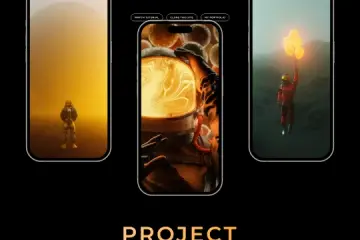
iPhone Mockup Scroll Animation
- Ideal for portfolios and product showcases, this cloneable features a smooth iPhone mockup scroll animation. It enhances storytelling by creating an interactive way to display app designs or mobile interfaces.
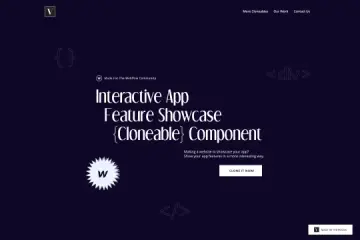
- This cloneable is designed to engage visitors by highlighting app features dynamically. It’s perfect for SaaS landing pages and mobile app presentations, ensuring a polished and professional display.
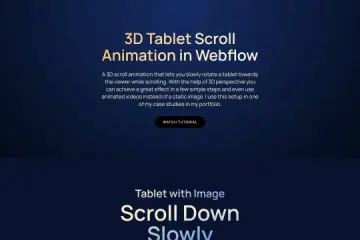
- A great choice for UX/UI designers and marketing pages, this cloneable utilizes a 3D tablet scroll animation to create an immersive experience. It’s particularly useful for showcasing responsive web designs or digital products.
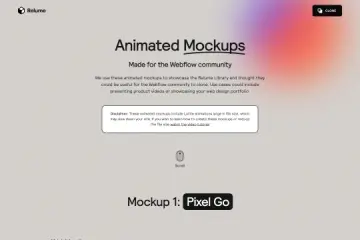
Each of these cloneables provides a unique way to present mockups, whether through interactive scrolling, 3D animations, or feature highlights. They help captivate visitors and enhance product storytelling, making them ideal for portfolios, promotional websites, and app landing pages.