Carousel Webflow Cloneables
Explore a variety of Carousel Webflow Cloneables to enhance user experience on your website. Easily add interactive carousels to your Webflow project with these customizable cloneables.
2 cloneables


Questions about Carousel cloneables
How can you create a carousel in Webflow?
You can create a carousel in Webflow using the built-in Slider element or a custom approach with interactions. To use the Slider element, add it to your canvas, customize the slides, and adjust settings like autoplay, navigation arrows, and pagination. Alternatively, use Webflow’s CMS to create a dynamic carousel by linking a Collection List to a custom slider setup. For more advanced interactions, utilize Webflow’s native animations or integrate third-party libraries like Swiper.js. Looking for ready-made solutions? Explore Webflow cloneables with pre-built carousels to speed up development.
What are some common types of carousels in Webflow and their use cases?
Webflow users commonly implement carousels for dynamic content presentation. Popular types include image sliders for showcasing portfolios or products, testimonial sliders for customer reviews, and multi-item carousels for displaying multiple cards at once. Full-width hero carousels highlight key messages, while CMS-driven carousels dynamically fetch and present content from collections. Each type enhances user engagement by organizing content efficiently while maintaining smooth interactivity. Carousels can be created using Webflow's native slider element, custom interactions, or third-party integrations like Swiper.js for more control over animations and behavior.
What are the best Webflow cloneables for creating a responsive carousel?
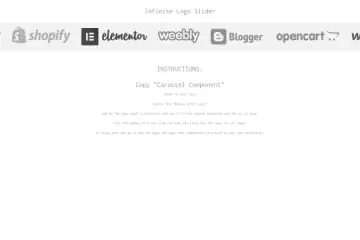
For creating a responsive carousel in Webflow, the CMS Logo Carousel Webflow Cloneable is an excellent option.
Recommended Cloneable:
- CMS Logo Carousel Webflow Cloneable for Dynamic Partner Showcase
- This cloneable is ideal for dynamically showcasing partner logos using Webflow’s CMS.
- It provides a responsive and seamless scrolling experience, making it perfect for displaying multiple logos or images in a continuous loop.
Additional Cloneable (Related but Not a Carousel):
- Native Interaction Text Marquee Webflow Cloneable
- While not a traditional carousel, this cloneable enables dynamic text effects such as scrolling marquees.
- It is useful for enhancing text-based animations rather than image-based carousels.
If you are specifically looking for a responsive image carousel, the CMS Logo Carousel Webflow Cloneable is the best choice. It is particularly useful for businesses, portfolios, or any website that requires an automated scrolling showcase of logos or images.