Migrate WordPress CMS Content with WP to Webflow
Run WP to Webflow from a Webflow project to transfer WordPress CMS content into your collections.
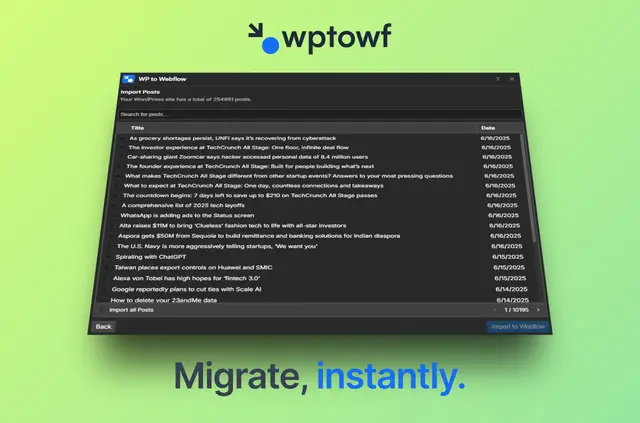
Use WP to Webflow to move CMS content from a live WordPress site to a Webflow project, without technical experience. The app recreates the content structure during the transfer.
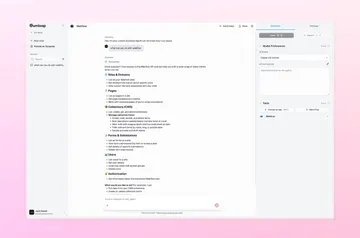
Install the app on your project and launch it to start. Enter the WordPress site URL, create collection names, then choose all items or select specific ones.
Things to keep in mind
The app’s import has no set limit, but your Webflow plan determines how many items your project can hold: up to 2,000 on a CMS plan or 20,000 on a Business plan. You need a Webflow CMS plan to use the app.
A migration takes a few minutes and does not cause downtime for the live WordPress site.
What it asks for
The app is free, with no initial charge or recurring subscription. Its requested Webflow access allows it to edit CMS content and read your sites and user profile.
Common questions
What types of WordPress content can I transfer?
WP to Webflow imports posts, images, categories and tags, while recreating the CMS structure in Webflow.
Can I select only some items to import?
Yes. After entering the live WordPress URL and creating collection names, choose all items or select specific ones.
Will my WordPress site be unavailable during migration?
No. The transfer does not cause downtime for the existing WordPress site.
How do I start a migration?
Install the app on a Webflow project and launch it. Then enter the WordPress site URL, create collection names and choose what to import.
How long does a migration take?
The migration takes a few minutes.