Import Data into CMS Collections with PowerImporter Webflow App
Webflow teams use PowerImporter to bring external data into CMS collections and refresh their content.
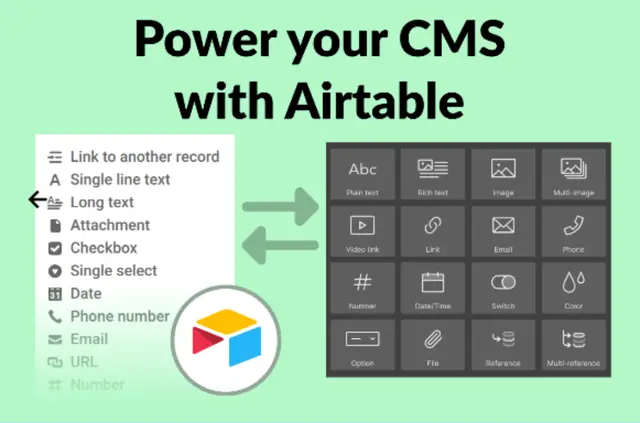
Keeping a Webflow blog, product catalogue, event listing, or directory current can involve moving data from another source. PowerImporter imports Airtable, CSV, and WordPress content into Webflow CMS collections.
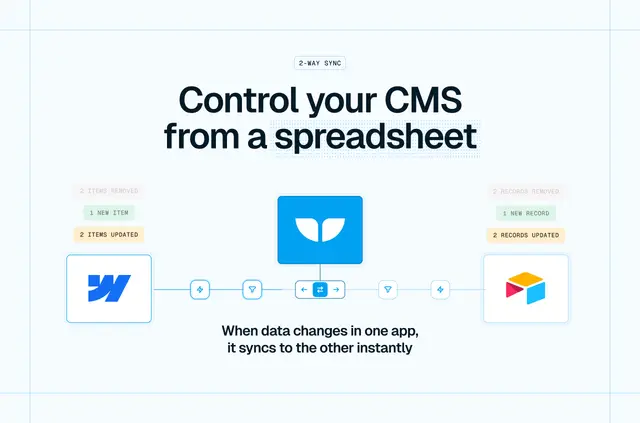
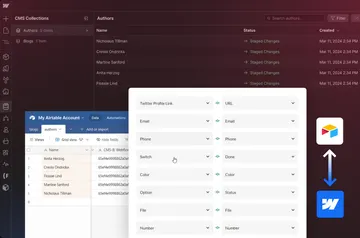
Teams map source fields to collection fields, then launch a sync. For Airtable, optional auto-sync can update CMS content when source data changes.
Feature notes
- Converts imported values to Webflow CMS field formats and maps source fields to collection fields.
- Supports reference and multi-reference fields, plus image and file uploads.
- Can sync multilingual content across multiple Webflow locales.
- Handles API errors and rate limits, and provides details about data validation errors.
- CMS Cleaner removes CMS items across collections and locales while preserving collection fields and structures.
What PowerImporter does
PowerImporter brings source content into a Webflow project’s CMS, helping teams populate or refresh blogs, product catalogues, event listings, directories, and other CMS-driven sites. For Airtable, it can monitor changes and update Webflow content when auto-sync is turned on.
CMS Cleaner offers a separate way to empty CMS collections across locales without deleting the underlying collection structure.
Getting started in Webflow
After installing PowerImporter, connect an Airtable base or upload CSV or WordPress content. Map the source fields to fields in a Webflow collection, then launch the sync.
To clear CMS items, connect the site in PowerImporter and choose the option to empty all CMS collections. The app requests permission to edit CMS and sites, and to read pages, custom code, forms, site members, components, site activity, workspace, app subscriptions, and the user profile.
Common questions
Do I need a paid Webflow plan for PowerImporter?
Yes. PowerImporter needs a Webflow CMS plan.
Can PowerImporter keep Airtable content updated in Webflow?
Yes. When auto-sync is enabled, it can monitor Airtable changes and update Webflow CMS content automatically.
Can it import reference fields and media?
Yes. It supports reference and multi-reference fields and uploads images and files.
Can I sync content to multiple Webflow locales?
Yes. PowerImporter can sync multilingual content across multiple Webflow locales.
Does PowerImporter have a free option?
Yes. It is listed with a free option as well as paid plans.