Sync Notion Content to CMS Collections with SyncFlow Webflow App
SyncFlow gives site owners a way to publish Notion database content in Webflow CMS and keep it in sync.
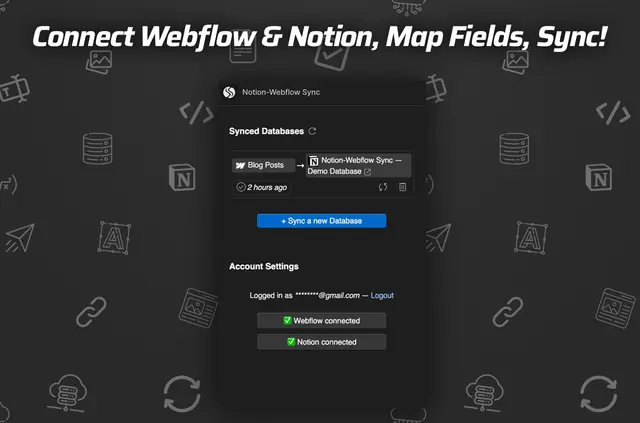
Without SyncFlow, teams may need to copy Notion content into Webflow by hand or use another tool to move it. After connecting both accounts, SyncFlow matches fields between a Notion database and a Webflow CMS collection, then transfers content using the selected sync method.
It is designed for teams preparing technical or academic material in Notion for publication through Webflow.
What SyncFlow does
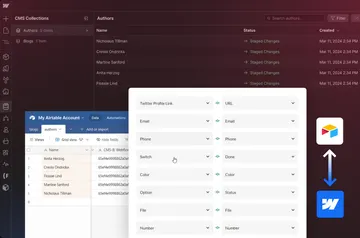
SyncFlow transfers Notion database content into Webflow CMS collections. A team can map fields such as text, images, dates, checkboxes, and URLs to fields in its collection.
Syncs can be started manually or triggered when a Notion page is created or edited. Published content can use inline styling or Webflow classes; SyncFlow also formats code blocks and renders mathematical expressions.
The main tools
- Match fields in a Webflow CMS collection with fields in a Notion database.
- Run transfers manually or trigger them when Notion pages are created or changed.
- Send text, images, checkboxes, dates, and URLs.
- Choose inline styling or classes for how Notion content appears in Webflow.
- Format code blocks, render mathematical expressions, and convert Notion page references into links to Webflow posts.
What it asks for
SyncFlow offers a free option as well as paid plans. Its website lists 1 Webflow Site Install and Unlimited Connected Fields.
The app requests permission to edit Webflow CMS when installed, and it requires a Webflow CMS plan.
Quick answers about SyncFlow
Can SyncFlow show Notion content with Webflow styling?
Yes. Notion content can be displayed in Webflow using inline styling or classes.
Can SyncFlow preserve references between Notion pages?
Yes. It converts references between Notion pages into links to the corresponding Webflow posts.
What kinds of content can SyncFlow transfer?
Supported content includes text, images, checkboxes, dates, and URLs.
Does SyncFlow support technical content such as code and equations?
Yes. It formats code blocks and renders mathematical expressions in Webflow.
Can a team choose when content syncs?
Yes. Syncs can be run manually or set to occur when Notion pages are created or changed.