Add Interactive Site Components with Wicked Components Webflow App
Wicked Components gives you adjustable interactive elements for Webflow, including tooltips and a control that scrolls to the top.
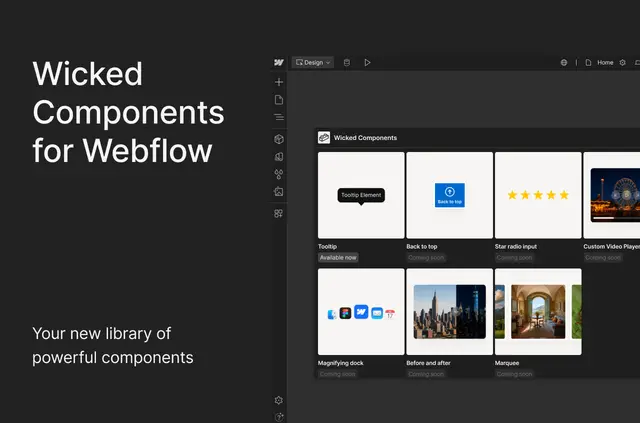
Add interactive details to a Webflow project with Wicked Components, a library made by Wicked Apps. You can manage component styling, animation, and responsive behavior inside Webflow.
The available components let you build interactions without writing custom code. More components are planned for release.
Who it suits
Use Wicked Components if you design Webflow sites that need interactive elements, such as helpful tooltip text or a scroll-to-top control. It suits projects where you want to adjust how components look and respond across screen sizes within Webflow.
Access and pricing
The app is listed with a free option and paid plans. Its installation access includes editing custom code and reading sites and your user profile.
What you can do with it
Add responsive tooltips with adjustable text, themes, placement, and animation. You can also attach the Scroll to Top action to any element and set its speed, timing, and easing.
Magnifying Dock is marked as coming soon. It is designed to magnify links or featured items when visitors hover over them.
Questions about Wicked Components
Can I use Wicked Components without writing custom code?
Yes. The app is intended to help Webflow designers add interactive components without writing custom code.
Where do I manage component settings?
You manage settings in Webflow, including visual styling, animation, and responsive behavior.
What can I customize on the tooltips?
You can configure tooltip text, themes, placement, and animations.
What does Scroll to Top let me adjust?
You can choose which element triggers scrolling and adjust the speed, timing, and easing.
Are more components planned?
Yes. Additional components are planned for release.