Sync REST API Data to CMS with Syncmate Webflow App
Run Syncmate from a sidebar in Webflow Designer to send REST API data into CMS collections.
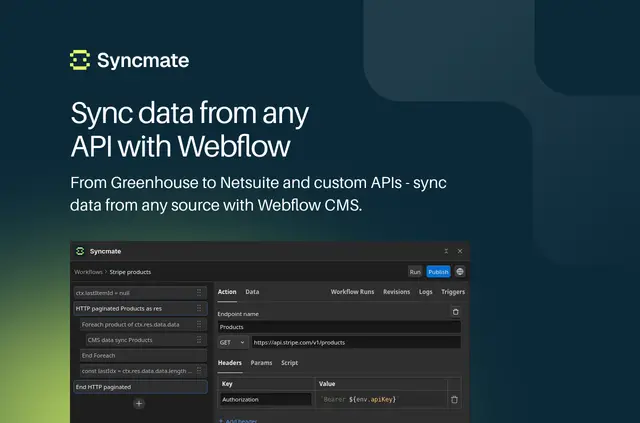
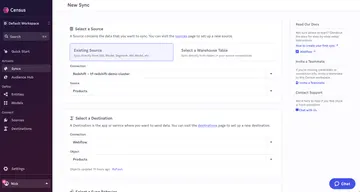
Once set up, your Webflow CMS collections can contain structured data brought in from external REST APIs. You configure a request, test its response, then map response fields to CMS fields.
Syncmate runs in the Webflow Designer sidebar and is made by Flowout. It can connect sources such as Airtable, Contentful, Sanity, and HubSpot through REST APIs.
Feature notes
- Choose Bearer tokens, API keys, Basic Auth, or OAuth 2.0, and set custom headers and query parameters.
- Handle paginated responses and configure sync logic for your data.
- Start a sync manually or schedule it for every minute, hour, day, or week.
- Use logs and retries to manage errors, with alerts sent through Slack, email, or SMS.
Caveats
Syncmate requests permission to edit CMS content and read your sites and user profile. Webhook listening, delta syncs, API caching, and preview mode are described as coming soon.
Where it fits
The app suits teams bringing products, listings, content, or other structured records from external APIs into Webflow CMS. It provides a way to map API responses to collection fields and keep data moving on a chosen schedule or by manual runs.
Questions about Syncmate
What authentication methods can I use?
Syncmate supports Bearer tokens, API keys, Basic Auth, and OAuth 2.0.
Can I adjust the API request?
Yes. You can configure request parameters, custom headers, and query parameters, then test the request.
How does data get into my CMS collection?
You map fields in the API response to fields in a Webflow CMS collection.
Can I schedule a recurring sync?
Yes. You can schedule syncs every minute, hour, day, or week, or start them manually.
How can I handle sync errors?
Syncmate provides logs and retries, plus alerts through Slack, email, or SMS.