Apply CSS Styles to Selected Elements with Style Applier Webflow App
Apply CSS from other projects to selected elements in a Webflow canvas.
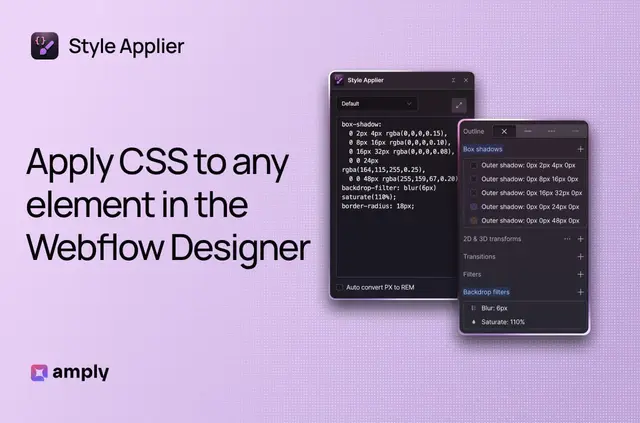
Designers and developers can bring styles from other projects into Webflow, so selected canvas elements reflect the CSS they need. Style Applier is made by Amply and listed as free.
It runs in the browser, and CSS data stays there rather than being sent elsewhere.
Style Applier in practice
Select an element in the Webflow canvas, paste in CSS, and Style Applier parses the declarations and applies the resulting styles. This can include shorthand such as margin, along with CSS comments and variables.
Getting started in Webflow
Install the browser extension, select an element in the Webflow canvas, then paste CSS into Style Applier to apply its styles. The provided workflow begins with a selected canvas element and pasted CSS.
Features worth knowing
- See CSS changes as you type; invalid lines are identified and accompanied by error messages.
- Convert pixel values to REM units with the optional conversion setting.
- Link CSS color variables to Webflow’s design system.
Quick answers about Style Applier
Does Style Applier show CSS errors while editing?
Yes. Changes appear as CSS is typed, and the app identifies invalid lines with error messages.
Can it convert pixel values to REM?
Yes. An optional setting converts pixel values into REM units.
Can CSS color variables connect to Webflow’s design system?
Yes. Color variable linking can connect CSS color variables to Webflow’s design system.
Does Style Applier send CSS data elsewhere?
No. The app runs in the browser, and CSS data is not sent elsewhere.
Who is Style Applier made for?
It suits designers and developers who want to bring CSS from other projects into Webflow.