Write and Format Custom Code with CodeBlock Webflow App
Add CSS or JavaScript to your Webflow site with an editor that formats code and stays available as you navigate.
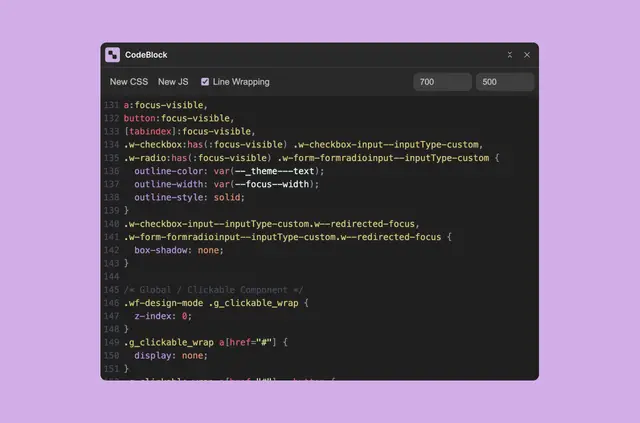
Write CSS or JavaScript for your Webflow site in an editor that formats code with Prettier. Keep working as you navigate through the page.
Feature notes
- Prettier formats your code automatically in the editor.
- Get class and variable name suggestions based on your project.
- Adjust the embed size and switch line wrapping on or off.
- Continue editing code while moving through your page.
What CodeBlock does
Use CodeBlock to write CSS and JavaScript in a Webflow project. For example, you can work on code, use suggested names drawn from your project, and adjust the embed display to suit your editing preferences.
Common questions
Can I keep editing while I navigate my Webflow page?
Yes. CodeBlock lets you continue editing code as you move through the page.
Can I change how the code is displayed?
Yes. You can adjust the embed size and turn line wrapping on or off.
Which languages does CodeBlock support?
CodeBlock provides an editor for writing CSS and JavaScript.
Does CodeBlock format code automatically?
Yes. The editor uses Prettier to format code automatically.
Can I get class and variable name suggestions?
Yes. CodeBlock suggests class names and variable names from your project.