Build Semantic HTML Tables with FlowTable Builder Webflow App
Add semantic HTML tables to a selected Div Block in the Webflow Designer, without writing custom code.
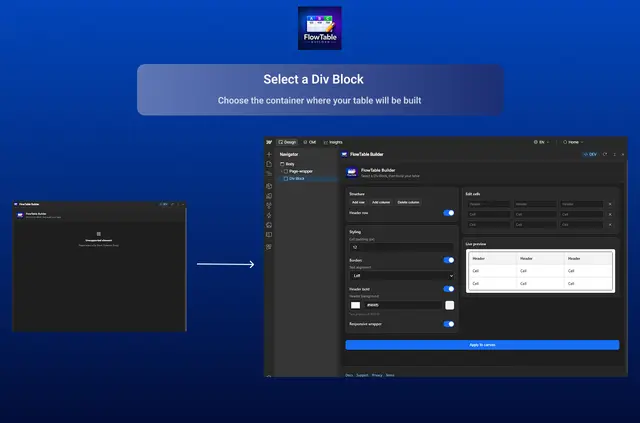
Turn pricing details, feature comparisons, or schedules into tables directly in the Webflow Designer. FlowTable Builder adds table elements to a Div Block you choose, with no custom code needed.
Published tables appear as regular HTML on your live site. The app is made by Khushal Tank and is listed as free.
FlowTable Builder in practice
Set padding, borders, text alignment, and header colors for your tables. For wide layouts on smaller screens, an optional wrapper allows horizontal scrolling.
To revise a table, select its FlowTable on the canvas and load it into the editor. The app is designed for Webflow designers and teams working with tabular content.
From install to first use
Get FlowTable Builder from the Webflow App Marketplace. In the Designer, open the app through Apps, then choose a Div Block for the table.
After creating a table, adjust its styling in the app. You can also load a canvas table into the editor to make changes.
Questions about FlowTable Builder
Do I need to write code to make a table?
No. The app lets you build semantic tables in the Designer without custom code.
How does a table appear on my published site?
It is published as standard HTML on the live site.
Can wide tables scroll on a small screen?
Yes. Add the optional wrapper to enable horizontal scrolling for wide tables on smaller screens.
Can I change a FlowTable that is already on the canvas?
Yes. Load the selected canvas table into the editor, then update it.
What are examples of content suited to tables?
You can use tables for pricing, feature comparisons, schedules, and similar content.