Generate and Test Custom JavaScript with Slater Webflow App
Add custom JavaScript to your Webflow project through its code footer, then use Slater to write and test it.
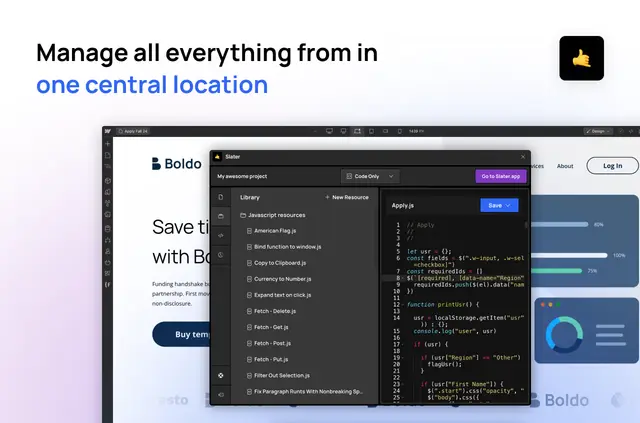
When you need custom JavaScript on a Webflow site, Slater gives you a coding environment built for that work. You can use AI prompts to create code and read explanations of the results.
It’s aimed at Webflow designers and developers who want to add site behavior or build their coding skills. Slater is designed for Webflow and can also support custom integrations with other tools.
Getting started in Webflow
To connect a project, add Slater’s script to its code footer. Save and publish the Webflow project; then you can use Slater with it.
Pricing and permissions
Slater offers a free option as well as paid plans. When installed, it requests permission to edit custom code and site members, and to read pages, sites and your user profile.
Features worth knowing
- Prompt Slater AI to generate JavaScript, then review an explanation of the code.
- Try code on a staging site before moving it to production.
- Save code solutions and drag them into other projects for reuse.
- Let team members work on separate pages in one file, with access controls.
Quick answers about Slater
Who is the developer behind Slater?
Slater was made by Edgar Allan.
Can Slater explain the JavaScript it generates?
Yes. You can view explanations of the code produced from your prompts.
Can I test code before it goes live?
Yes. Slater supports testing on staging before you publish code to production.
Can I reuse code solutions across projects?
Yes. Save a solution and use drag-and-drop to bring it into another project.
Can several team members work in the same Slater file?
Yes. Multiple team members can work on different pages in one file, with access controls.