Generate Editable Website Sections with Htflow Webflow App
Htflow works in the Webflow Designer to generate sections and full sites that become editable native elements.
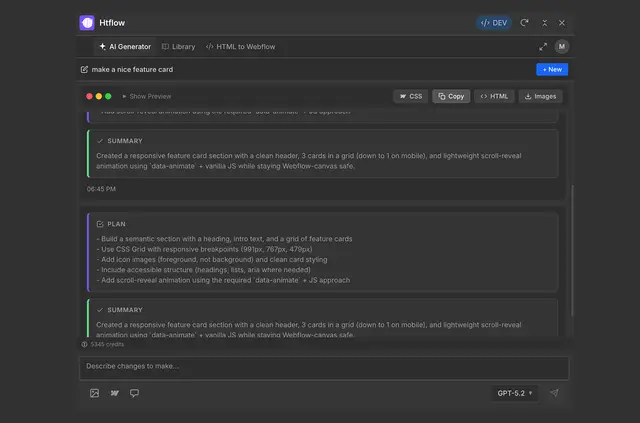
Webflow designers use Htflow to create and refine sections or website pages. They describe a design in text and receive responsive HTML and CSS to paste into Webflow.
Generated content becomes native elements in the Designer, not an embedded block. Htflow connects to Claude over MCP to create sections prepared for Webflow.
From install to first use
Install Htflow, sign in with an HTFlow account, then start generating. Copy the resulting elements and paste them into the Webflow Designer.
Feature notes
- Describe a design in text to generate responsive HTML and CSS for Webflow.
- Use the built-in chat to revise generated sections, including their colors and layouts.
- Provide a screenshot or design reference for conversion into a Webflow-ready section.
- Browse the community showcase to find sections to copy.
- Generated code uses semantic markup, BEM classes, responsive breakpoints, and accessible markup.
Common questions
Can I edit generated content in Webflow?
Yes. Paste the generated elements into the Webflow canvas, where they are editable in the Designer.
Can I use a screenshot as a design reference?
Yes. Htflow can turn screenshots or other design references into sections for Webflow.
Can I change a section after it has been generated?
Yes. The built-in chat lets users adjust a section, including its colors and layout.
How does Htflow connect to Claude?
Htflow connects to Claude over MCP to generate sections prepared for Webflow.
Does Htflow have a free option?
Htflow is offered with a free option and paid plans.