Display Instagram Posts on Site with SI Instagram Feed Webflow App
Display Instagram posts on your Webflow site and shape their presentation in the Designer.
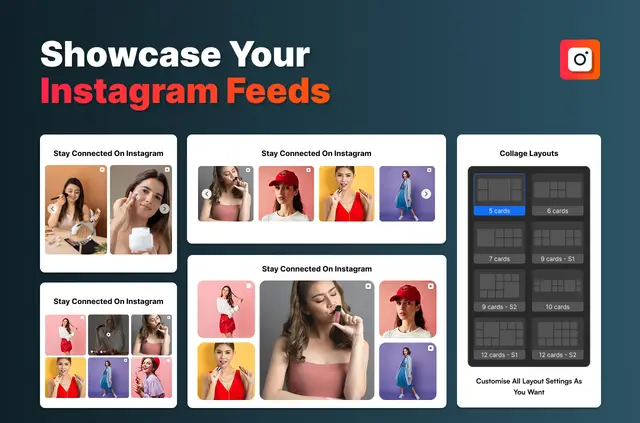
Without SI Instagram Feed, you may need to update Instagram posts by hand or use another tool to show them on a Webflow page. With the app, connect your account and build a feed widget in the Designer, then publish without custom code or API keys.
The feed updates automatically and adapts to desktop, tablet, and mobile screens. Visitors can open posts on Instagram or view them in an Instagram-style popup.
What it asks for
SI Instagram Feed has a free option and paid plans. When installed, it can edit custom code and components, and read sites and your user profile.
Who gets the most out of it
This app suits businesses, restaurants, creatives, agencies, and personal brands that want Instagram content on their websites. Its display options help you arrange posts to suit different site designs.
- Pick from more than 30 grid, slider, masonry, and collage layouts.
- Set spacing, row and column counts, hover effects, and corner radius.
- Images are optimized and lazy-loaded to reduce their effect on loading.
- The Free plan syncs daily; PRO syncs hourly.
Questions about SI Instagram Feed
How do I add an Instagram feed to a Webflow site?
Install the app, connect your Instagram account, make and customize a widget in the Webflow Designer, then publish the site.
Can I choose how posts are arranged in the widget?
Yes. The available formats include grid, slider, masonry, and collage.
Will the feed adapt to different screen sizes?
Yes. Widgets adjust for desktop, tablet, and mobile screens.
How can visitors view an Instagram post?
They can open a post on Instagram or see it in an Instagram-style popup.
How often does the feed sync?
The Free plan syncs daily, while PRO syncs hourly.