Audit SEO and Optimize CMS Content with AI SEO Boost Webflow App
Audit Webflow pages, prepare SEO content and manage CMS publishing from a single workspace.
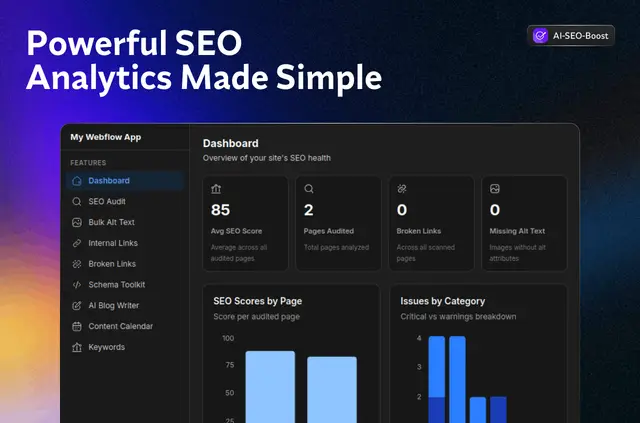
Agencies, in-house marketers, and SaaS or content teams can use AI SEO Boost to handle site SEO and CMS publishing. It runs as a Designer Extension and connects to Webflow sites using OAuth.
Use it to review page issues, work with structured data, prepare CMS drafts, generate alt text and assess links. You can review SEO and CMS changes before they are applied.
Caveats
AI SEO Boost is paid, and using it requires a license key. Its Webflow access includes permission to change CMS content and custom code, and to view pages, sites and your user profile.
SEO and CMS changes need human approval before they take effect. The app uses official Webflow APIs, while registering its CDN script from the dashboard is optional.
The main tools
- Inspect page scores, metadata, headings and indexability signals, then review prioritized issues and proposed fixes before saving.
- Check JSON-LD, or create and validate structured data for common types of pages.
- Generate CMS blog drafts and batches of alt text, and review suggested internal links before approval.
- Crawl for broken, redirected or erroring links; use the content calendar to review posts and schedule publication.
From install to first use
Find the app in the Webflow Marketplace and authorize the site you want to use. Open it in Designer and enter your license key to begin using its tools.
For publishing workflows, AI SEO Boost connects to Webflow CMS so you can draft, review, publish and schedule posts. Its CDN script registration is not part of the required setup; you can initiate that action from the dashboard if needed.
Quick answers about AI SEO Boost
What Webflow permissions does AI SEO Boost request?
It can edit CMS content and custom code, and read pages, sites and your user profile.
Can I publish CMS posts with AI SEO Boost?
Yes. It connects to Webflow CMS for drafting, reviewing, publishing and scheduling posts.
Are SEO changes applied without review?
No. SEO and CMS changes require human review before they are applied.
Is registering the CDN script required?
No. Registration is optional and can be started from the dashboard.
What do I need to enter before using the app?
After installing from the Webflow Marketplace, authorize a site, open the extension in Designer and enter a license key.