Find and Replace Site Content with Replace Flow Webflow App
For Webflow site owners, Replace Flow finds and replaces text and links across pages and CMS content.
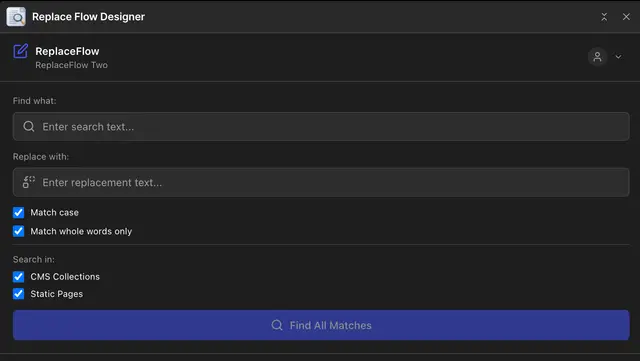
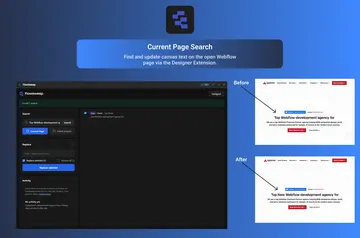
Inside the Webflow Designer, Replace Flow lets you locate wording and URLs in static pages and CMS collection items. You can use it for bulk updates, outdated links, or consistent wording across your site.
The extension changes content, not the styles, layouts, or design around it. Review highlighted matches with nearby context before deciding what to change.
Worth checking first
The free tier provides 5 searches and 10 replacements, with access limited to CMS. The Unlimited plan is $35 per year and includes all features and priority support.
Edits show in the Designer or CMS items; publish your site to show them live. Webflow’s built-in undo can reverse static edits immediately. For CMS changes, replace the wording again or restore a backup.
The main tools
- Choose to apply a replacement to every match at once or handle matches individually.
- Preview highlighted search results alongside surrounding text before making edits.
- Change sitewide URLs and text in headings, paragraphs, buttons, and CMS content.
How setup works
Sign up, then open Apps in the Webflow Designer sidebar and install ReplaceFlow. After installation, search your site content from the Designer and choose whether to replace matches together or review them one at a time.
Common questions
Can I use Replace Flow on an Ecommerce site?
ReplaceFlow requests permission to edit ecommerce content when installed.
Will replacements affect my page layouts or styles?
No. The extension updates content without changing styles, layouts, or design.
When do changes appear on the published site?
Changes appear in the Designer or CMS items first. You need to publish for them to show on the live site.
How can I reverse a CMS content change?
Replace the text again or restore a backup to reverse a CMS change. Static content edits can be undone immediately with Webflow’s built-in undo.
What permissions does ReplaceFlow request?
It can edit CMS, pages, custom code, assets, forms, ecommerce, site members, components, comments, sites, site settings, and the workspace. It can read the site activity log, app subscriptions, and your user profile.