Import Editable SVG Graphics with Osmo SVG Import Webflow App
Bring SVG artwork into Webflow as editable elements and adjust it within the project.
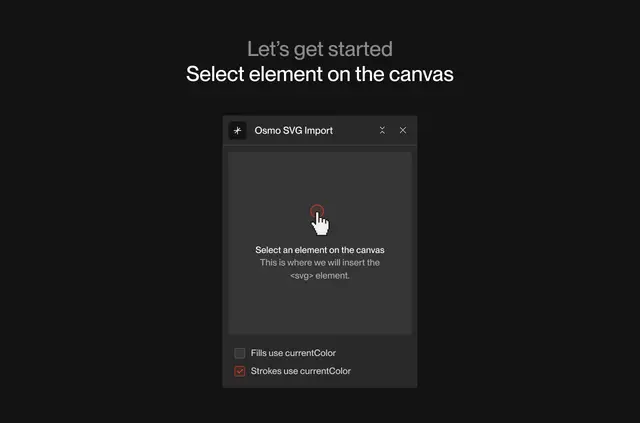
Webflow builders working with SVG graphics can bring them into a project as editable elements. Osmo SVG Import accepts pasted SVG code or files dragged into the editor.
The imported artwork becomes part of the Webflow editing workflow, where its elements can be changed and styled. A color option can also tie SVG fills and strokes to the website’s colors.
Osmo SVG Import in practice
Osmo SVG Import brings SVG graphics into a Webflow project as SVG DOM elements. Builders can supply the artwork by pasting its code into the editor or dragging an SVG file there.
After import, the elements remain editable and can be styled within Webflow. The currentColor option matches SVG fill and stroke colors to the website’s colors.
Common questions
Can I paste SVG code into the Webflow editor?
Yes. Osmo SVG Import accepts SVG code pasted into the editor.
Can I bring in an SVG file instead of pasting code?
Yes. SVG files can be dragged into the editor.
What happens to an SVG after import?
It comes into Webflow as editable SVG DOM elements.
Can I change the imported SVG in Webflow?
Yes. Imported elements can be edited and styled within Webflow.
How does currentColor affect an SVG?
It matches the SVG’s fill and stroke colors to the website’s colors.