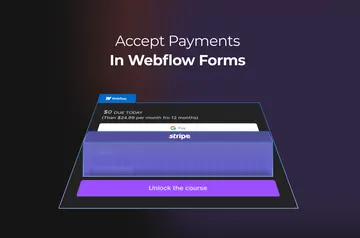
Accept On-Site Payments with North Embedded Checkout Webflow App
Add an on-site payment checkout to a Webflow page and let customers pay without leaving the site.
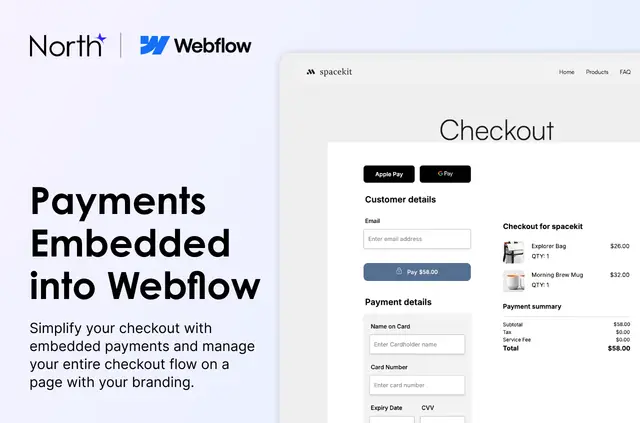
Webflow builders can put payment collection on a page without sending customers to another site. North Embedded Checkout adds a customizable checkout for businesses selling products or services, as well as organizations collecting donations.
The app is made by North's Workspace and listed as free. Installation costs nothing, and North charges no gateway fees; processing fees are provided during the merchant application.
What North Embedded Checkout does
Add the checkout component to a Webflow page, adjust its appearance and fields, then publish to staging. Products can be linked to clickable Link Blocks. Checkout options include credit cards, Apple Pay, Google Pay and ACH.
Styling controls cover light or dark mode, brand colors, logos, fonts, which fields appear and their order. The integration flow creates a checkout session on the server, then checks its status to confirm payment approval.
Caveats
Merchants need to apply for a North merchant account, which undergoes underwriting. The business must be based in the U.S., and transactions use USD. Apple Pay requires a paid Webflow plan.
Form, Fields and Direct Post checkout types offer different trade-offs between setup speed, control over the interface and PCI scope.
Common questions
Which permissions does North Embedded Checkout ask for?
It can edit custom code, assets and site settings. It can read pages, sites and your user profile.
Where do I use North Embedded Checkout once it's installed?
Add its checkout component to a Webflow page, customize it, and publish to staging. Products can be connected to clickable Link Blocks.
How do you install North Embedded Checkout in Webflow?
Install the app, add its checkout component to a page, customize it and publish to staging. Merchants also apply for a North merchant account, subject to underwriting review.
Which payment methods can customers use?
Customers can pay by credit card, Apple Pay, Google Pay or ACH. Apple Pay compatibility requires a paid Webflow plan.
What checkout design options are available?
Choose light or dark mode, brand colors, logos and fonts. Fields can be selected and arranged in a chosen order.