Build Ecommerce Stores & Subscriptions with CartGenie Webflow App
CartGenie is an ecommerce app that adds selling tools to Webflow pages and lets you design your store there.
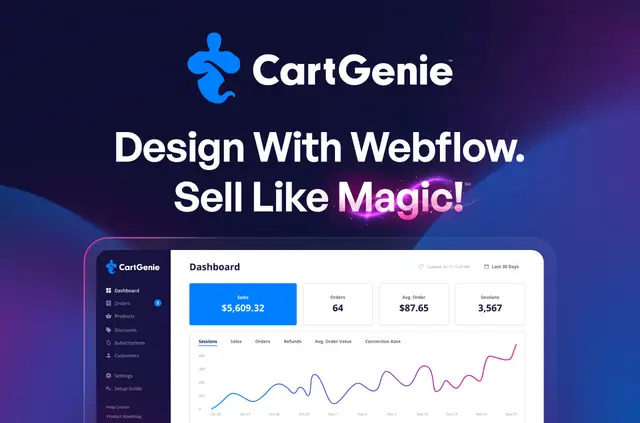
CartGenie adds ecommerce functions to Webflow sites, so you can sell products, digital downloads, services, and subscriptions. You can design the shopping flow in Webflow without sending customers to an external checkout.
It works with Webflow CMS plans, so your store does not require a Webflow Ecommerce plan. CartGenie offers a free starting option and paid plans, and says its plans have zero transaction fees.
Who it suits
CartGenie suits Webflow projects selling physical goods, downloadable items, services, or recurring plans. It may fit teams that want to manage store tasks and site content within a Webflow-based workflow.
It can support catalogs with many product choices, including variations in price, stock, imagery, color swatches, and personalization fields.
What CartGenie does
Add purchase buttons to Webflow pages, offer related products, or collect extra details through custom checkout fields. Product variations can include up to 200 options, and the app supports recurring subscriptions. Payment methods include Stripe, PayPal, Apple Pay, Google Pay, Klarna, Afterpay/Clearpay, iDEAL, and Bancontact.
Store tools cover orders, customer profiles, analytics, digital delivery, invoices, and packing slips. CartGenie connects with TaxJar for US sales tax, Shippo for shipping labels, Zapier, webhooks, Google Merchant Center, and Meta Commerce Manager.
From install to first use
Begin with CartGenie page templates or components, then use Webflow CMS collections for store content. Connect and check the store through the Designer Extension. You can also set shipping zones by country, state, or postal code, with rates based on weight, price, or product type.
Questions about CartGenie
How many variations can I offer for one product?
CartGenie allows up to 200 variants per product. Variants can have their own prices, inventory, images, swatches, and personalization fields.
Can I set different shipping rates for different locations?
Yes. Shipping zones can be set by country, state, or postal code. Rates can depend on weight, price, or product type.
Can I move a Webflow Ecommerce store to CartGenie?
CartGenie has a migration tool that transfers products, categories, and order history from Webflow Ecommerce.
What access does CartGenie request for my Webflow site?
CartGenie can edit CMS, pages, custom code, assets, ecommerce, and sites. It can read forms, site settings, and your user profile.