Route Form Submissions to Work Tools with FormRelay Webflow App
Send Webflow form submissions to your existing work tools without adding code to your site pages.
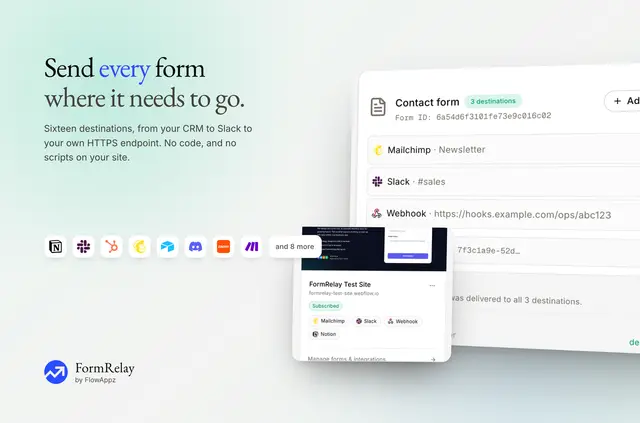
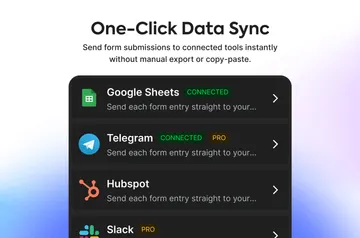
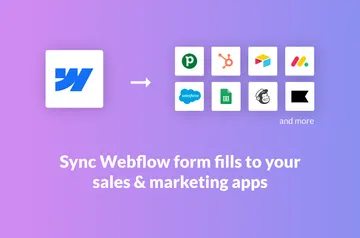
Site owners, agencies and marketing teams can use FormRelay to get Webflow form leads into the tools they already work in. Connect destinations such as HubSpot, Mailchimp, Slack, Notion, Zapier or Make.
FormRelay is made by FlowAppz and is listed as a paid app. It receives form submissions through Webflow’s Data API and a submission webhook, rather than requiring scripts on your pages.
Setting it up
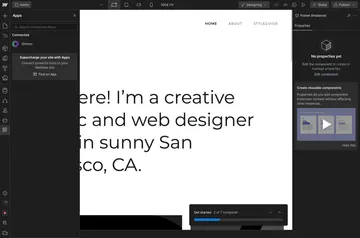
Install FormRelay and authorize access to one Webflow site. The requested permissions allow it to edit sites and read forms and your user profile. A published site is needed before submissions can be received, since Webflow sends them only from published sites.
Connect a destination, then configure a form to send submissions there. You can route a form to more than one destination, and begin using the connection once your published site receives submissions.
Worth checking first
Each authorization applies to a single site, and a form can use only one destination of each kind. Webhook, Zapier and Make connections need an HTTPS address; FormRelay does not accept plain HTTP endpoints.
The price is $4.99 per site each month or $49.99 per year, with a seven-day trial and no free tier. FormRelay places no cap on submissions, but destination services and Zapier or Make may charge separately under their own plans.
What it handles
FormRelay forwards submitted form data to supported CRMs, email services, chat tools, spreadsheets and automation services. For example, you could direct a form to HubSpot and Slack, or use a webhook, Zapier or Make as a destination.
When a form has several destinations, each send is handled independently, so one delivery can fail while another succeeds. Attempts appear in the Logs page; failed sends are retried, and you can replay them there.
Quick answers about FormRelay
Does FormRelay suit client projects?
Yes. Agencies can connect a client’s Webflow site to the tools where that client manages form leads. Each site needs its own Webflow authorization.
What does FormRelay cost?
It costs $4.99 monthly or $49.99 yearly for each Webflow site. There is a seven-day free trial, but no free plan.
Can I review or resend failed deliveries?
Yes. Delivery attempts are recorded in the Logs page, where you can replay failed sends. FormRelay also retries failures.
Can I connect an HTTP webhook?
No. Webhook, Zapier and Make destinations must use HTTPS; plain HTTP addresses are not accepted.
Can one form send to several tools?
Yes. A form can send to multiple destinations, but only one destination of each kind. Each delivery succeeds or fails independently.