Organize Project Styles & Assets with Finsweet Extension Webflow App
Finsweet Extension gives Webflow builders tools to edit, organize, and manage content in their projects.
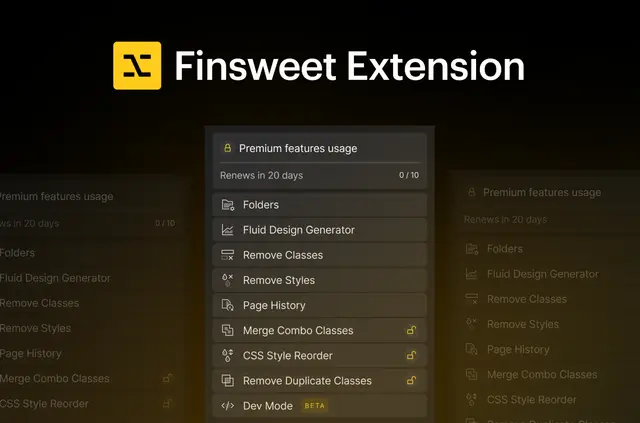
Finsweet Extension is a Webflow app for editing, organizing, and managing project content. It works within Webflow without page reloads or manual refreshes.
It is now available as a native Webflow app; an earlier version was a Chrome extension. Its tools support development, design, and project organization.
What's included
Use the app’s tools to handle common project tasks:
- Asset Exporter downloads project assets together as a ZIP file.
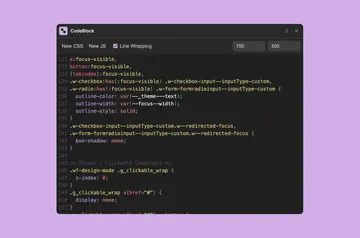
- Dev Mode provides an in-Webflow editor for updating CSS and HTML.
- Finder searches project elements according to criteria you set.
- Fluid Design Generator creates responsive values that adapt to screen sizes.
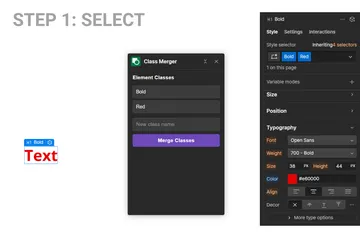
- Style tools find duplicate styles, remove unwanted element properties, merge combo classes, convert pixel values to REM, and organize classes into folders.
How setup works
Finsweet Extension is available as a native Webflow app. Once working within Webflow, you can use its project tools without reloading pages or manually refreshing them.
The tools also include options to unbind CMS collections from their bindings and import SVG files. Page History gives you a way to revisit pages you previously opened in Designer.
Who it suits
The app suits Webflow builders who want tools for development, design, and project organization. It can help with tasks involving code, responsive values, styles, classes, assets, and project content.
It is relevant to projects that use CMS collections or SVG files as well as those where you manage CSS and HTML. Free human support is available to all users.
Finsweet Extension FAQ
Can I use premium features without paying?
Premium features are available at no charge for up to 10 uses per month. Paid plans are also available.
Can I download project assets in one file?
Yes. Asset Exporter gathers project assets into a ZIP file.
Does the app include a code editor?
Yes. Dev Mode provides an editor within Webflow for updating CSS and HTML.
Can I unbind CMS collections and import SVGs?
Yes. The app includes tools for unbinding CMS collections from their bindings and importing SVG files.
Can I revisit pages I opened in Designer?
Yes. Page History lets you revisit pages you previously opened in Designer.