Send Draft Articles to CMS with 3RD Content Webflow App
Move finished 3RD articles into Webflow CMS as drafts for review before publishing.
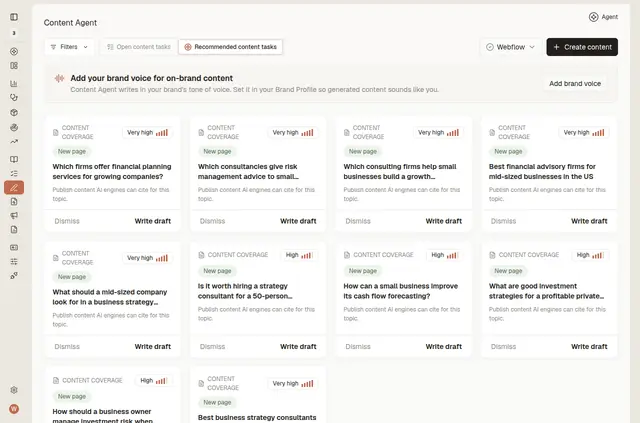
Marketing teams that draft articles in 3RD can use 3RD Content to send them to Webflow for review. Each article becomes a draft item in a chosen CMS collection, ready for the team to check before publishing.
Using the app requires a paid 3RD subscription. Its interface is in English, and users can choose other interface languages through their settings.
Getting started in Webflow
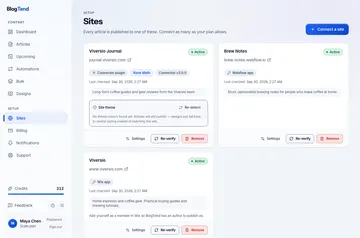
Install 3RD Content and connect it to a Webflow account. Choose the destination site and CMS collection, then map the article’s title, body, summary and image to the corresponding collection fields.
To send an article, open the finished piece in 3RD and select Push to Webflow. It arrives as a draft, with headings, lists, links and images preserved in Webflow rich text. Users can change the collection or disconnect the 3RD connection in 3RD settings.
Who it suits
The app suits marketing teams that prepare articles in 3RD and want to conduct editorial review in Webflow. It provides a way to move finished writing into a CMS collection while keeping it in draft form for review.
3RD Content does not publish articles or the Webflow site. It also leaves items that are already published untouched, so the transfer is for new drafts rather than changes to published items.
Questions about 3RD Content
What can 3RD Content access in my Webflow account?
It can edit CMS content and read pages, sites and your user profile.
How much does 3RD Content cost?
3RD Content is listed as paid, and using it requires a paid 3RD subscription.
Do I need to code to use 3RD Content?
The described workflow uses account connection, site and collection selection, field mapping and the Push to Webflow option. It does not involve a coding step.
What article fields can I map to a Webflow collection?
The article’s title, body, summary and image can be mapped to collection fields.
Can I change the destination collection later?
Yes. The collection can be changed in 3RD settings, where users can also disconnect the 3RD connection.
Is 3RD Content yours? Add the badge
Show visitors that 3RD Content is featured on FlowFav. Pick a style; the badge is a small image that links to this page and loads no script.
<a href="https://www.flowfav.com/app/3rd-content-webflow-app"><img src="https://www.flowfav.com/badge/featured-card-light.svg" alt="Featured on FlowFav" width="146" height="54"></a>