Import RSS Articles to the CMS with PugSync Webflow App
For creators, bloggers, and businesses publishing authorized RSS content, PugSync brings articles into Webflow CMS.
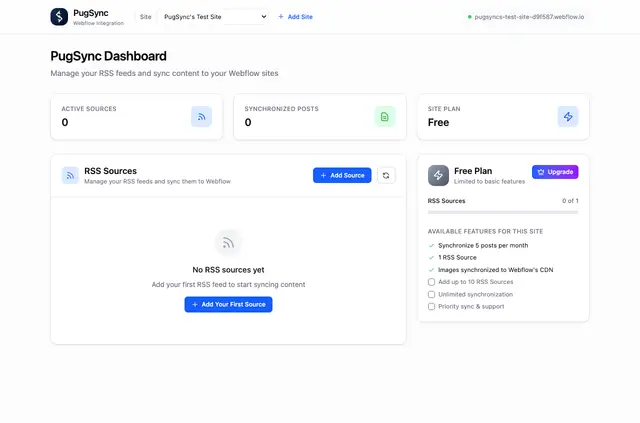
Your Webflow site can feature articles from an RSS feed, with their images stored on Webflow’s CDN at no extra cost. Made by Black Pug Studio, PugSync is for creators, bloggers, and businesses sharing authorized RSS content.
Connect a feed to your site, then choose whether new articles sync automatically or you start each import. PugSync offers a free option and paid plans.
Setting it up
Install PugSync, connect an RSS feed to your Webflow site, and begin syncing articles. The app can edit CMS content, custom code, assets, and sites, and can read your user profile.
What you can do with it
Bring feed articles into your Webflow CMS, map RSS data to CMS fields, and edit imported posts in Webflow’s visual editor. You can also choose manual imports instead of automatic syncing.
The Free Plan allows one RSS source per site, with a limit of five posts monthly. Premium allows ten sources and unlimited posts; subscriptions are monthly or yearly, with a seven-day free trial.
PugSync FAQ
Can I choose when articles are imported?
Yes. PugSync can sync new articles automatically, or you can start imports manually.
Can I change an imported post before publishing it?
Yes. Imported posts can be edited in Webflow’s visual editor.
Where are images from synced articles hosted?
They’re hosted on Webflow’s CDN at no extra cost.
How many RSS sources and posts does the Free Plan allow?
It allows one RSS source for each site and a maximum of five posts per month.
How can I subscribe to Premium?
Premium is available as a monthly or yearly subscription and includes a seven-day free trial.