Generate SEO Blog Articles with HyperSEO Webflow App
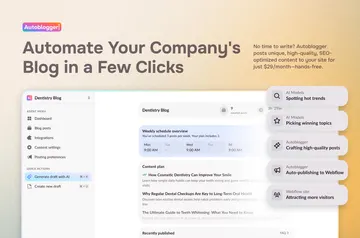
HyperSEO works with your Webflow site to create search-focused blog articles and help publish them.
Your Webflow blog can offer articles aimed at people searching for a solution and ready to buy. HyperSEO connects to your account to help publish SEO articles.
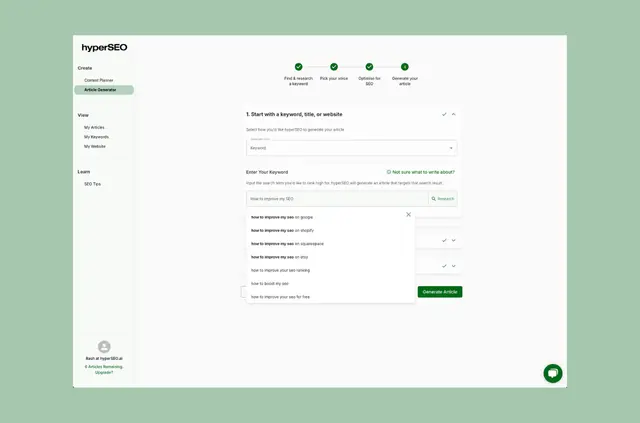
At signup, it scans your website and suggests blog ideas for your business. Setup is described as taking seconds, and plans include a free option and paid plans.
Getting started in Webflow
Install HyperSEO and approve the Webflow permissions it requests: editing CMS, pages, site members, sites and workspace, plus reading your user profile.
During signup, the app scans your website and generates blog ideas. You can then create search-optimized articles and use HyperSEO to help publish them to Webflow.
When it's a good fit
HyperSEO suits businesses building a blog around search demand, especially those targeting bottom-of-funnel searches from people ready to buy. Its topic research and business-specific ideas can help guide what you publish.
It can also serve projects with audiences who use different languages or articles that need tailored calls to action.
Features worth knowing
Use these tools to plan and produce blog content:
- Research blog topics with monthly search-volume data.
- Scan your site for blog ideas tailored to your business.
- Generate AI-written, search-optimized articles and AI images.
- Create blog content in multiple languages.
- Add custom calls to action to blog articles.
HyperSEO FAQ
What can HyperSEO change or view in my Webflow account?
It has permission to edit CMS, pages, site members, sites and workspace, and to read your user profile.
How does HyperSEO help me choose topics?
It provides monthly search-volume research for target blogs and scans your website to suggest ideas tailored to your business.
Can I include my own call to action in a post?
Yes. You can add custom calls to action to blog content.
Can HyperSEO create blog content in different languages?
Yes. It supports blogs in multiple languages.
Is there a free plan option?
HyperSEO is listed with a free option and paid plans.