Publish SEO Articles to the CMS with JumperSEO Webflow App
JumperSEO is for business teams planning and publishing SEO articles to a Webflow CMS collection.
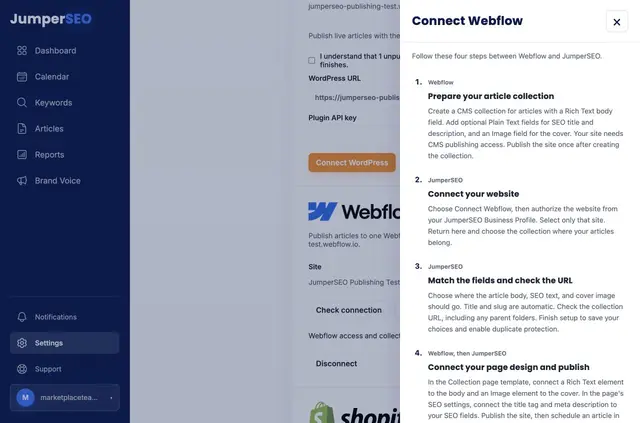
JumperSEO works with a Webflow CMS collection, where it sends completed articles from a connected site. The collection page determines each article’s design; JumperSEO provides its title and URL slug.
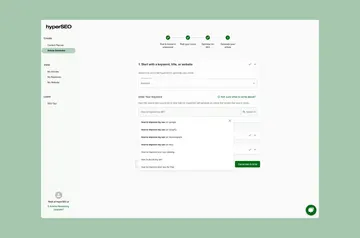
An in-app guide supports setup, and connection checks flag fields that are missing or have changed.
Things to keep in mind
Each organization publishes to one destination, in the site’s primary language. Additional translations are managed in Webflow.
A JumperSEO account and paid subscription are required, with subscriptions managed in JumperSEO. The app can edit CMS content and read site information.
What JumperSEO does
Teams can plan and create SEO articles, with Google Search Console data available to inform planning.
Scheduled publishing retries use an article identifier to avoid duplicate entries.
Feature notes
- Assign article text, cover images, SEO titles and descriptions to collection fields.
- Follow the in-app guide to connect page elements and SEO settings.
- Run connection checks to spot fields that have changed or are absent.
Common questions
How does JumperSEO handle a scheduled publishing retry?
It uses an article identifier during retries to prevent duplicate entries.
Do I need a paid subscription to use JumperSEO?
Yes. A JumperSEO account and paid subscription are required, and subscriptions are managed in JumperSEO.
Can JumperSEO publish articles to more than one destination?
No. Each JumperSEO organization can publish to one destination.
Which language does JumperSEO publish in?
It publishes in the Webflow site’s primary language. Additional translations must be managed in Webflow.
What permissions does JumperSEO request for Webflow?
It can edit CMS content and read site information.