Generate & Schedule Blog Posts with Autoblogger Webflow App
Autoblogger helps Webflow blog teams create, review and publish topic-based posts to the CMS.
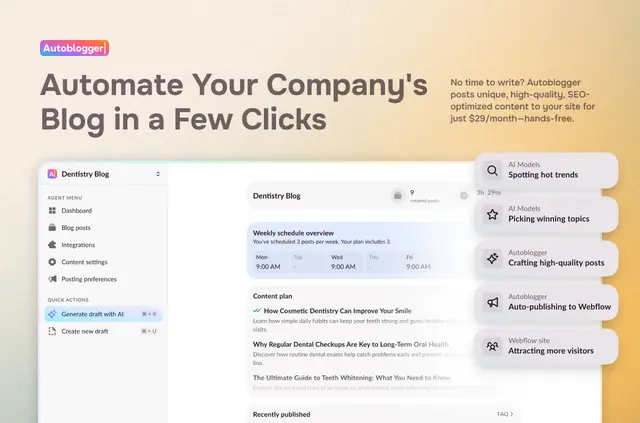
Webflow site builders looking to keep a blog active can use Autoblogger to generate AI-written posts from a topic and identify keywords to target.
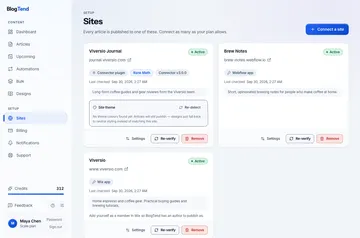
After connecting a Webflow project, teams configure blog settings without coding. Posts can be sent to the Webflow CMS or kept as drafts for review.
Feature notes
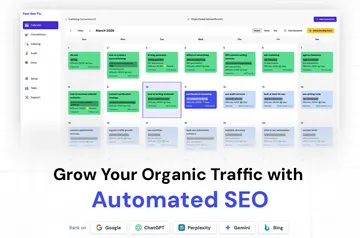
- Choose posting days and times, or prepare a week of content in one go.
- Use the built-in editor to revise content before publication.
- Keyword optimization and internal links are included in content creation.
- Support multiple blogs for teams and agencies working across separate sites.
When it's a good fit
Autoblogger fits Webflow sites that publish blog content and want help producing posts around chosen topics and target keywords. Its multiple-blog support also suits agencies or teams handling several sites.
The service has a free trial and a $29 monthly price; it is listed with a free option and paid plans.
Common questions
Where do I use Autoblogger once it's installed?
Connect a Webflow project and configure its blog settings. Autoblogger publishes posts directly to the Webflow CMS or saves them as drafts.
Who is the developer behind Autoblogger?
Autoblogger is made by Otherweb.
Which permissions does Autoblogger ask for?
It can edit CMS content and read sites and your user profile.
Can I plan when posts are published?
Yes. Set posting days and times, or generate a week of content at once.
Can Autoblogger work with more than one blog?
Yes. It supports multiple blogs for teams or agencies managing different sites.