Research Topics and Publish SEO Blog Posts with BlogTend Webflow App
BlogTend gives site owners researched, SEO-focused articles and images published as items in a Webflow CMS collection.
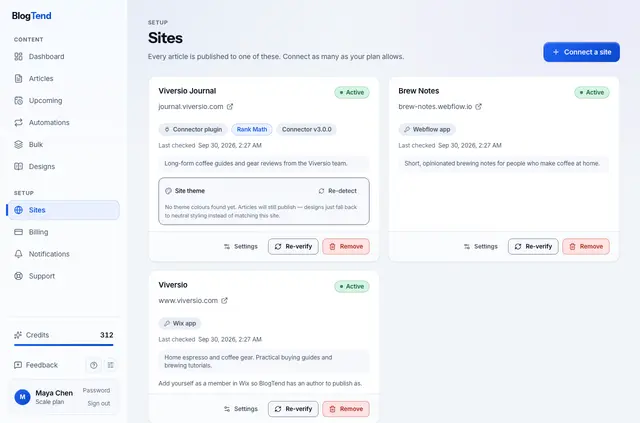
BlogTend is an app for researching topics online, writing SEO blog posts, creating images, and publishing articles to Webflow CMS. Its users can have each article added as a native collection item that uses the collection’s existing page template.
Articles can be held as drafts or published immediately. BlogTend can also revise an existing article in its current CMS item without changing the URL.
Caveats
BlogTend changes the connected collection and related assets only. It does not edit pages, templates, or other collections. It uploads article images to site Assets and may create a category item in the connected collection.
SEO titles and descriptions go into mapped plain-text fields. Showing those values as SEO metadata requires binding the fields in Webflow Designer. BlogTend cannot perform that step. A live CMS item can go online without a full site publish.
Setting it up
Install BlogTend, connect a site, and choose a CMS collection. Map the collection fields for article content, images, and SEO metadata.
Then set recurring topics or a publishing cadence, and choose whether articles should be drafts or published immediately.
What it asks for
BlogTend is paid, with plans starting at $29 per month. Higher tiers include additional sites and monthly articles.
When installed, it can read sites and your user profile, and edit CMS items and assets. It connects to Webflow CMS and Assets.
BlogTend FAQ
Does BlogTend work with Webflow CMS collections?
Yes. It adds articles as native items to a connected collection, where they use that collection’s existing page template.
Does BlogTend run inside the Webflow Designer?
It connects to Webflow CMS and Assets. Its SEO metadata goes into mapped fields, while the app itself does not make Designer changes.
Can BlogTend keep an article’s URL when updating it?
Yes. It can update an existing article in its current CMS item while preserving the URL.
Can I choose whether articles are drafts or published right away?
Yes. BlogTend lets you choose drafts or immediate publication, and you can schedule recurring topics or a publishing cadence.