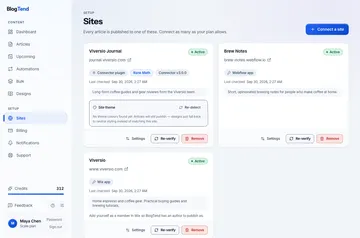
Automate SEO Blog Publishing with Casper Webflow App
Casper brings keyword research and article publishing into your Webflow CMS, from research through scheduling.

Casper is a content app for Webflow that researches, writes, and publishes SEO-focused blog articles. It studies your business, competitors, and industry to find search keywords relevant to your content.
You can give Casper instructions to shape its articles and send the results to a CMS collection. Casper is a paid app.
How setup works
Install Casper and connect your Webflow site using OAuth. Next, map the article fields to the CMS collection you want to use.
After setup, provide instructions for your articles and choose whether each one should go live immediately, be scheduled, or remain a draft.
What Casper does
Casper creates articles with meta titles, descriptions, structured headings, internal-linking suggestions, and featured images. Its visual content calendar lets you drag and drop articles into a schedule, using daily, weekly, or custom publishing intervals.
The app can edit your CMS, assets, and sites, and read pages. Casper supports more than 15 languages, making it possible to prepare blog content in a range of languages.
Common questions
Can I publish an article later rather than right away?
Yes. You can schedule articles for publication, or use the visual calendar to arrange them with drag-and-drop scheduling and daily, weekly, or custom intervals.
What access does Casper request in Webflow?
Casper can edit CMS content, assets, and sites, and read pages.
Can I set the article fields for my CMS collection?
Yes. When connecting your Webflow site, you map Casper’s article fields to a CMS collection.
How does Casper choose keywords for my blog?
It analyzes your business, competitors, and industry to identify relevant search keywords.
Is Casper free to use?
Casper is listed as paid.