Webflow Cloneables Placeholders
Explore a variety of Webflow Cloneables with built-in placeholders for easy content customization. Enhance your Webflow projects with these customizable resources.
4 cloneables






Questions about Placeholders.js cloneables
What is Placeholders.js?
Placeholders.js is a lightweight JavaScript library that adds placeholder support for older browsers that do not natively support the HTML5 placeholder attribute. It works by detecting missing placeholder functionality and dynamically inserting fallback behavior, ensuring a consistent user experience across all browsers. The library is easy to integrate and helps maintain accessibility and usability in web forms, making it a useful tool for Webflow users looking to enhance form interactions in legacy environments.
What are some best practices for using placeholders in Webflow forms?
When using placeholders in Webflow forms, ensure they provide clear guidance, such as specifying input formats (e.g., "Enter your email"). Avoid using placeholders as a sole label replacement—include visible labels to improve accessibility and usability. Maintain readability with high contrast and avoid very light text. To enhance user experience, use placeholder animations or transitions so they don’t disappear when typing. Test responsiveness to ensure placeholders remain legible on different devices. Lastly, consider using helper text below input fields for additional context instead of relying solely on placeholders.
What are the best Webflow cloneables that incorporate Placeholders.js?
There are no indications that the listed Webflow cloneables incorporate Placeholders.js. However, if you are looking for cloneables related to other functionalities, here is a brief summary of each:
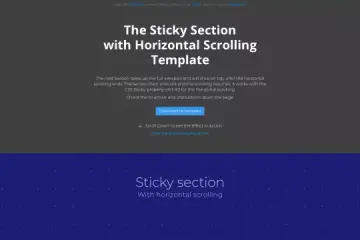
- Sticky Horizontal Scrolling Webflow Cloneable for Engaging Designs
- Allows the creation of smooth horizontal scrolling effects.
- Useful for storytelling, portfolios, and interactive websites.
- View Cloneable
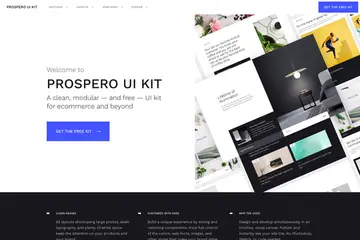
- Create Stunning Online Stores with Prospero UI Kit Webflow Cloneable
- A UI kit optimized for building eCommerce stores.
- Includes pre-designed components for quick store setup.
- View Cloneable
- Streamlined Portfolio Template Webflow Cloneable
- A responsive and modern template for creative portfolios.
- Ideal for designers, photographers, and freelancers.
- View Cloneable
If you are specifically looking for cloneables that utilize Placeholders.js, I recommend searching within Webflow’s community or cloneable directories with that keyword. Let me know if you need further assistance!