
Webflow Cloneables Mobile-Detect.js
Explore a variety of Webflow cloneables featuring Mobile-Detect.js integration. Enhance your Webflow projects with responsive capabilities using our Mobile-Detect.js cloneables.
3 cloneables


Questions about Mobile-Detect.js cloneables
What is Mobile-Detect.js?
Mobile-Detect.js is a lightweight JavaScript library used to detect mobile devices based on the user agent string. It allows developers to identify whether a user is on a phone, tablet, or desktop and adjust content or functionality accordingly. Mobile-Detect.js provides simple methods to check for specific devices, operating systems, and browsers, making it useful for optimizing user experiences. It is widely used for responsive web design, conditional loading of assets, and device-specific interactions in Webflow projects.
What are some effective ways to use Mobile-Detect.js for responsive design in Webflow?
Mobile-Detect.js can enhance responsive design in Webflow by enabling device-specific interactions. By integrating it within Webflow’s custom code section, you can detect mobile devices and apply tailored JavaScript functionalities. Use it to modify navigation behaviors, adjust element visibility, or optimize animations based on the device type. Combine Mobile-Detect.js with Webflow’s interactions to create a seamless user experience, such as disabling hover effects on touch devices or serving alternate content for mobile users. This approach ensures a more adaptive and performance-optimized design across different screen sizes.
What are the best Webflow cloneables that incorporate Mobile-Detect.js for device detection?
There are no indications that the listed Webflow cloneables explicitly incorporate Mobile-Detect.js for device detection. However, here is a brief overview of each template and its potential relevance:
- E-commerce Education Template for Startup Success
URL: View Cloneable
A Webflow template designed for e-learning businesses, optimized for online course sales and student engagement.
- Build Your Online Learning Platform with Webflow
URL: View Cloneable
A flexible template for creating an educational platform, featuring responsive design and user-friendly interfaces.
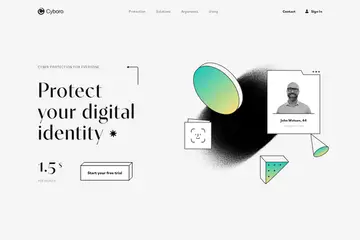
- Cybersecurity Webflow Template: Enhanced Protection Solutions
URL: View Cloneable
Tailored for cybersecurity companies, this template focuses on security solutions and professional services.
Recommendations:
If you're specifically looking for Webflow cloneables that integrate Mobile-Detect.js for device detection, these templates may require manual integration of the library. You can incorporate Mobile-Detect.js via Webflow's custom code section to enhance responsiveness and device-specific optimizations.
Would you like guidance on implementing Mobile-Detect.js in Webflow? Feel free to ask!