Webflow Styleguide Cloneables
Explore a variety of Webflow Styleguide Cloneables for easy customization. Find and use these cloneables to enhance the design and functionality of your Webflow website.
4 cloneables




Questions about Styleguide cloneables
What is a style guide in Webflow?
A style guide in Webflow is a dedicated page that centralizes design elements like typography, colors, buttons, and other UI components for consistency across a project. It helps maintain a cohesive design system and ensures quick edits to global styles. Typically, designers create a style guide using Webflow’s class system and global swatches, making updates seamless. Many Webflow cloneables include pre-built style guide pages to speed up development and ensure best practices.
What are the best practices for setting up a style guide in Webflow?
Creating a style guide in Webflow ensures consistency across your project. Start by designing a dedicated style guide page to house your typography, color palette, buttons, forms, and spacing guidelines. Use global classes for text styles (e.g., headings, paragraphs) and create color swatches for easy application. Define reusable components such as buttons and form fields with consistent spacing and sizing. Use a naming convention for classes to keep styles organized. Leverage symbols for common elements like headers and footers. Regularly update the style guide to reflect design changes, ensuring a scalable and cohesive design system.
What are the best Webflow styleguide cloneables for maintaining design consistency?
For maintaining design consistency in Webflow, the following cloneables offer excellent style guides and UIframeworks:
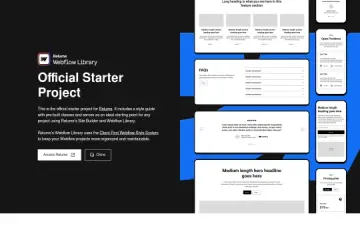
- Relume Library Style Guide
(URL: Relume Library Style Guide )
This cloneable provides a comprehensive style guide tailored for streamlined design. It helps maintain consistency across typography, colors, and UI components, making it ideal for designers and developers who want to ensure uniformity in their Webflow projects.
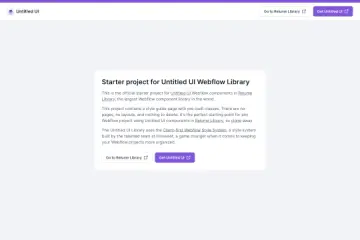
- Untitled Relume UI Kit
(URL: Untitled Relume UI Kit )
A modern UI kit designed for Webflow, this cloneable includes a structured design system that enhances workflow efficiency. It is particularly useful for building contemporary websites with a well-defined component library and organized styling.
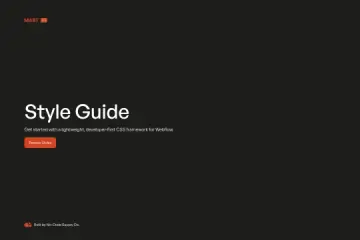
- Mast Framework
(URL: Mast Framework )
This framework simplifies Webflow site-building while promoting consistency through reusable design elements and layout structures. It is excellent for scalable projects that require a structured approach to maintaining uniform design.
Each of these cloneables is designed to improve workflow efficiency and design coherence, making them highly valuable for teams and individuals aiming for consistency in their Webflow projects.