Automate Cross-App Workflows with Zoho Flow Webflow App
Connect apps across cloud and on-premises systems and build workflows to sync information.
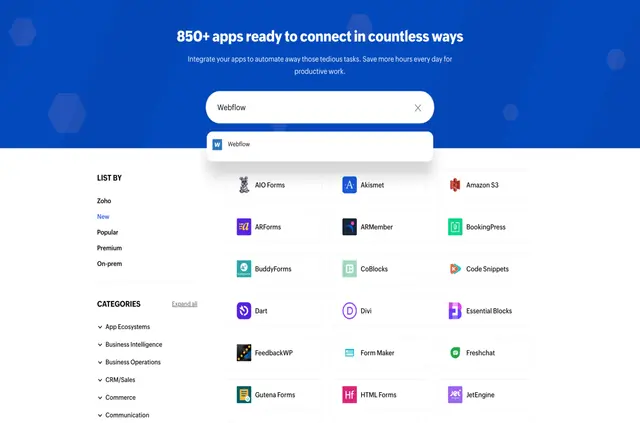
Zoho Flow runs in its own dashboard, where teams build workflows that link Zoho apps with third-party services and sync data across systems.
Made by Zoho’s Workspace, the platform has a free option and paid plans. Teams can trigger a workflow in several ways, including from an app, a schedule, an API, or a webhook.
Access and pricing
Zoho Flow offers a free option and paid plans. On installation, it requests permission to edit CMS, pages, custom code, assets, forms, ecommerce, site members, components, sites, site settings, and workspace. It also requests permission to read the site activity log, app subscriptions, and user profile.
The main tools
- Use a drag-and-drop builder to design and refine integrations.
- Connect workflows to more than 1,000 applications and choose from over 1,200 prebuilt templates.
- Set triggers using formatted emails as well as the options described above.
- Monitor workflows and troubleshoot problems.
- Coordinate work with user roles and custom notifications.
Who it suits
Zoho Flow suits teams that need to connect cloud services with on-premises applications or create workflows for specific processes. Its builder supports tailored integrations, while monitoring and troubleshooting tools help teams manage them.
Common questions
Can Zoho Flow link Zoho apps with third-party services?
Yes. Workflows can connect Zoho apps and third-party applications, then sync information between systems.
Can workflows begin on a schedule?
Yes. Schedules are one of the supported ways to trigger a workflow.
Can teams monitor workflows and troubleshoot problems?
Yes. The platform provides tools to monitor workflows and investigate issues.
What collaboration features does Zoho Flow provide?
Teams can use user roles and custom notifications to support collaboration.
Can workflows use formatted emails as triggers?
Yes. A formatted email can start a workflow.