Connect Apps and Automate Workflows with Pipedream Webflow App
Connect Webflow events to other apps and run custom integration code with Pipedream.
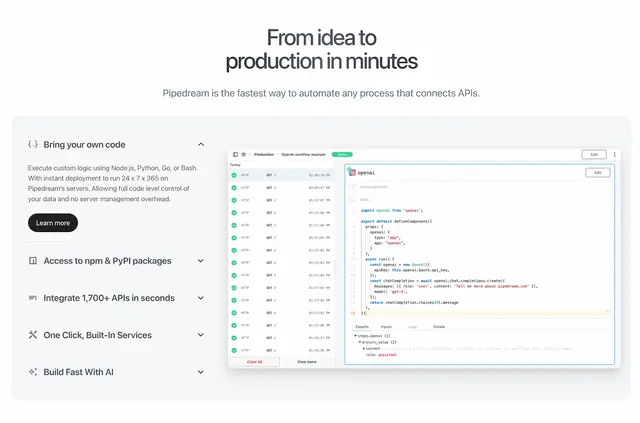
Handling Webflow events yourself can mean copying details between tools or building separate connections. Once you connect your Webflow account to Pipedream, workflows can react to form submissions, collection updates, and e-commerce orders.
Its serverless infrastructure runs these integrations without requiring you to manage servers. You can use it to sync content, create support tickets, process orders, or send notifications.
How setup works
Install Pipedream and connect a user's Webflow account to begin. Choose from pre-built Webflow triggers and actions, or call actions from your own code. The Connect proxy can send requests to Webflow API endpoints with the connected user's credentials.
Feature notes
- Start a workflow when a Webflow form is submitted, a collection is updated, or an e-commerce order is placed.
- Link Webflow with Slack, Google Drive, Salesforce, and other apps among the 2,400+ available connections.
- Write custom integration logic in Python, Node.js, or another programming language.
- Use workflows to sync content, open support tickets, process orders, and send notifications.
Permissions to expect
When installed, Pipedream can edit CMS content, pages, assets, forms, e-commerce, and sites. It can read your user profile.
Questions about Pipedream
Can I use my own code to run Webflow actions?
Yes. Connect a user's Webflow account, then run actions from your code. You can write custom integrations in Python, Node.js, or another programming language.
Which Webflow events can start a workflow?
A workflow can respond to a form submission, a collection update, or an e-commerce order.
Can Pipedream send Webflow data to Slack or Google Drive?
Yes. Slack and Google Drive are among the apps you can connect with Webflow through Pipedream; Salesforce is another example.
Can the Connect proxy make requests to Webflow's API?
Yes. It can forward requests to Webflow API endpoints using the credentials of the connected user.
Do I need to manage a server for these workflows?
No. Pipedream's serverless infrastructure runs Webflow integrations without requiring you to manage servers.