Review Site SEO Metadata with Zeopilot Webflow App
Zeopilot helps Webflow site owners inspect a selected site while retaining control over changes.
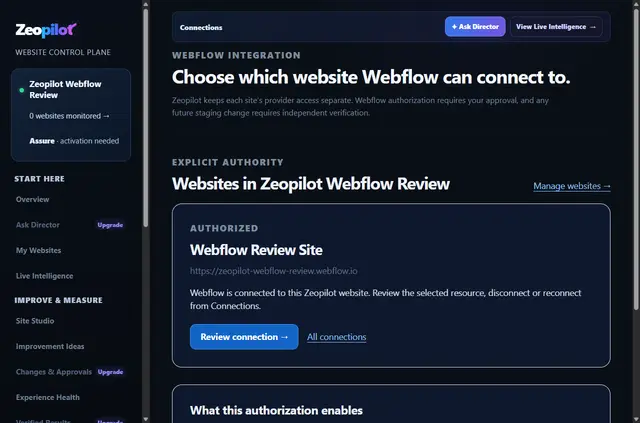
Once connected, a private website workspace presents details from the Webflow site its owner chose. Site owners can inspect the connection’s permissions and end access when needed.
Zeopilot serves owners who want to examine a Webflow site while deciding how any changes are handled. Connection alone does not alter or publish pages; changes require separate authorization.
Limits to know
The OAuth authorization applies to one selected site and does not extend to an owner’s other Webflow sites. Zeopilot requests permission to edit pages and sites, although the initial connection does not make page changes or publish content.
Before carrying out a separately approved change, Zeopilot checks the selected site’s boundaries, supporting evidence, and owner approval. The app is paid and offered in English; plan capabilities are outlined at zeopilot.com/pricing.
How setup works
To begin, authorize Webflow through OAuth and select the site to connect. Its page information then appears in the private website workspace.
The connection can be ended whenever the owner chooses, and its authority can be reviewed. No page edit or publication follows from connecting alone.
The main tools
Zeopilot pairs a workspace view of selected-site information with controls over which site is authorized. A separately approved change is subject to checks before it proceeds.
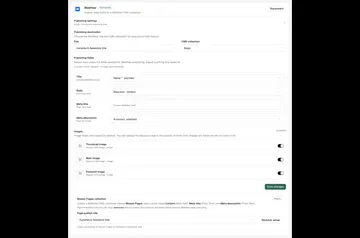
- See the connected site’s page titles, slugs, and SEO metadata.
- Keep Webflow authorization restricted to the site chosen by its owner.
- Inspect the connection’s authority and revoke access at any time.
- Check site scope, evidence, and owner approval before a separately authorized change.
Questions about Zeopilot
Does connecting Zeopilot publish or edit pages automatically?
No. Connecting a site does not itself edit or publish pages. Changes need separate authorization.
Can Zeopilot access my other Webflow sites?
No. OAuth grants access only to the single site selected by its owner.
What information can owners inspect in the workspace?
Owners can view each connected page’s title, slug, and SEO metadata.
Can an owner revoke Zeopilot’s access?
Yes. The owner may terminate the connection whenever they choose.
What language is Zeopilot available in?
Zeopilot is available in English.