Publish SEO Content to CMS with Massic Integration Webflow App
Send SEO content from Massic to Webflow CMS, where you can review it, save drafts, or publish it.
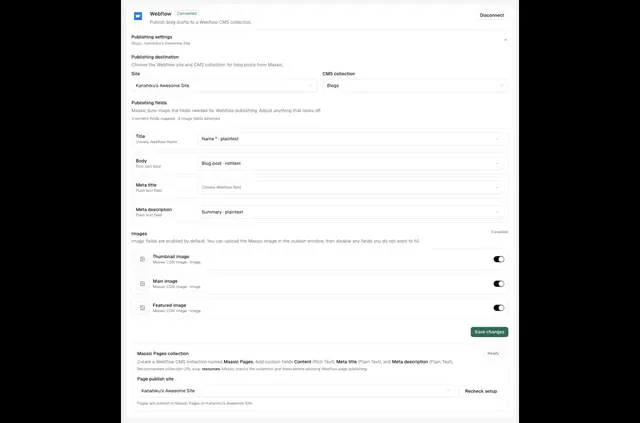
When you need to move SEO content onto your Webflow site, Massic Integration creates blog posts and pages and sends them to Webflow CMS.
Connect your Webflow account, choose a site and collection, then map Massic content to the fields you want to use.
Before you install
Massic Integration is listed as free. When installed, it can edit your CMS and sites and read your user profile.
When it's a good fit
This suits marketing and SEO teams creating content for publication through Webflow CMS. It is useful when your publishing work involves mapping article details and SEO fields into a collection.
Worth checking first
Publishing changes apply only to the Webflow site and collection you select. You start the publishing action in Massic and can inspect the field mappings before sending content.
The connection uses OAuth and can read site and CMS data for approved publishing actions.
Quick answers about Massic Integration
What content can I map to Webflow CMS fields?
You can map titles, slugs, HTML, SEO fields, images, and custom fields from Massic to Webflow CMS fields.
Can I preview content before it goes live?
Yes. Massic can save CMS items as drafts and let you preview them on a Webflow domain before publishing.
Can I change content that's already in my CMS?
Massic can update existing CMS items in place and return published content to draft status.
Can I choose which live domains receive published content?
Yes. You can publish to live domains you choose.
Who made Massic Integration?
It was made by Massic's Workspace.