Sync Ecommerce Orders to Accounting Ledgers with Xaldro Webflow App
In Webflow Ecommerce, Xaldro sends orders to your accounting ledger as itemised invoices and records payments.
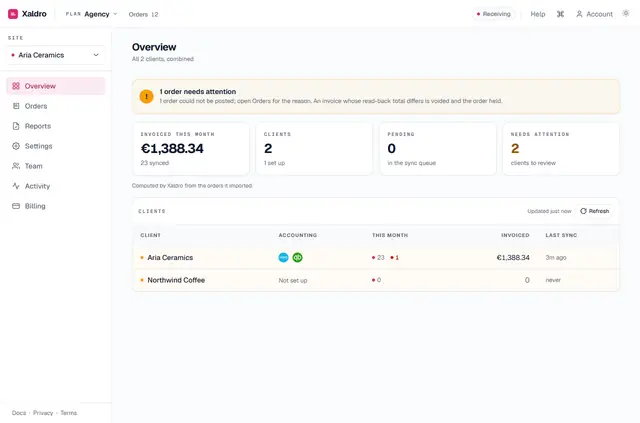
If you run a Webflow Ecommerce store, Xaldro can transfer your orders and refunds into an accounting ledger. It records order details as itemised invoices and tracks payments.
Connect a Webflow site to an accounting organisation, then assign accounts for revenue, shipping, clearing and tax. Xaldro is listed as paid.
What it handles
For each new order, Xaldro uses Webflow order webhooks to capture products, shipping, discounts, tax and the order reference. It posts an invoice and payment to your ledger, then reads the invoice back to compare its total and tax with the payment.
If either difference is greater than one cent, Xaldro voids the invoice and puts the order on hold. Webflow refunds are recorded as Xero credit notes, or as QuickBooks credit memos or refund receipts; refunds apply to whole orders.
Limits to know
Orders are held if tax accounts are unmapped, the currency is unsupported, an exchange rate is unavailable, the currency uses zero or three decimal places, or a plan limit applies. QuickBooks Online connections are restricted to Intuit sandbox companies; Xero organisations are also supported.
Connecting a site brings in orders from the previous 90 days and creates two order webhooks. An hourly check replaces webhooks that are missing. The trial runs for 14 days or 100 synced orders, whichever comes first, and does not require a card.
Feature notes
- Xaldro checks for an existing order before posting, helping prevent duplicate invoices.
- You can connect multiple sites and assign each to a particular accounting organisation.
- When installed, Xaldro requests permission to read Ecommerce data, site information and your user profile.
- Invoice totals and tax are checked against payment amounts, with mismatches above one cent held.
Quick answers about Xaldro
Who makes Xaldro?
Xaldro is made by Qitalo.
Which accounting platforms can I connect?
Xaldro supports Xero organisations and QuickBooks Online sandbox companies. QuickBooks Online is limited to Intuit sandbox companies.
Can I connect more than one Webflow site?
Yes. You can connect multiple sites and assign each one to a specific accounting organisation.
How does Xaldro handle refunds?
It records Webflow refunds as credit notes in Xero, or credit memos or refund receipts in QuickBooks. Refunds are for whole orders.
What happens when I connect a Webflow site?
Xaldro imports the site's orders from the previous 90 days and adds two order webhooks. It checks hourly for missing webhooks and restores them.