Sync Shopify Products to CMS with blink Flow Webflow App
In Webflow Designer and CMS, blink Flow links Shopify data to custom storefront pages and published site features.
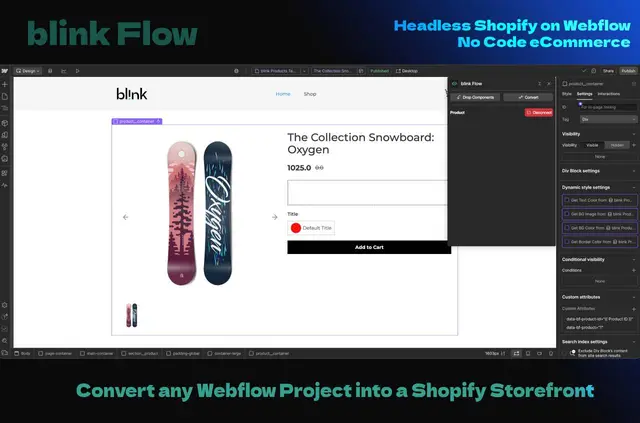
For Shopify storefront projects, blink Flow brings store data into Webflow and lets teams build the frontend in Webflow. Merchants, designers, agencies, and teams making storefronts for Shopify clients can use it to connect Shopify content with Webflow pages.
A Designer Extension links page elements to Shopify fields. On the published site, an external script provides cart and checkout functions using the Shopify store’s checkout.
Caveats
blink Flow is in active development and available to early access users. Cart and checkout functions require an external JavaScript script on the published Webflow site; checkout uses the connected Shopify store’s checkout.
Permissions to expect
When installed, blink Flow can edit Webflow CMS content, custom code, and sites. These permissions cover the Webflow areas the app requests access to.
When it's a good fit
The app fits Shopify merchants building a custom storefront frontend in Webflow, along with designers and agencies creating storefronts for Shopify clients. Shopify products, variants, inventory, collections, and blog content can sync to Webflow CMS, where teams can connect the data to page elements in Designer.
Common questions
What Shopify content can blink Flow sync to Webflow?
It syncs products, variants, inventory, collections, and blog content to Webflow CMS. Updates can run on a schedule or be started manually in the blink Flow admin dashboard.
What does the Designer Extension support?
The extension connects Webflow page elements to Shopify fields. It supports conditional display, variant selectors, and add-to-cart buttons.
What does setup involve?
Setup involves authorizing Shopify and Webflow, choosing content to sync, connecting the data in Webflow, and adding the script to the published site.
How do cart and checkout work on a published Webflow site?
An external JavaScript script adds cart and checkout functions to the published site. Checkout uses the connected Shopify store’s checkout.
How does blink Flow connect to Shopify and Webflow?
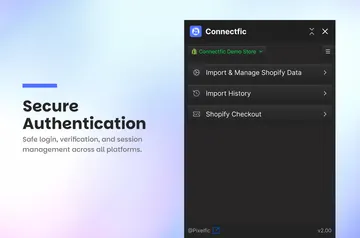
The Shopify and Webflow connections use OAuth. The frontend script is hosted on a global CDN.