Find Design Assets with Streamline Icons & Elements Webflow App
For Webflow designers building visually consistent sites, Streamline provides icons and other assets to use in your projects.
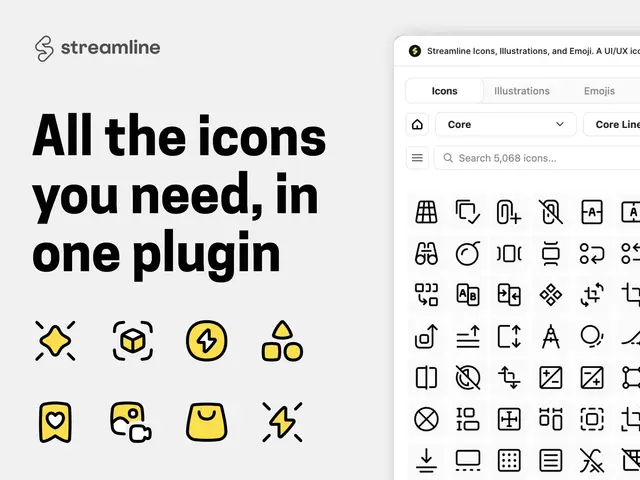
If you’re building a Webflow site and need visual assets in different styles, Streamline gives you a library of icons, illustrations, emojis, and other design elements. You can browse and download files for use in your projects.
The collection spans icon styles from Material Pro and Pixel to Freehand and Plump. A global search helps you look across icon sets, and downloaded assets can be adjusted before use.
Who gets the most out of it
Streamline suits solo designers and teams that want a shared source of visual assets for Webflow sites. Its range of icon styles can help you choose a look that fits a project, while illustrations, backgrounds, patterns, abstract shapes, emojis, and vector badges provide other options for visual work.
The library includes styles such as Ultimate, Core, Flex, Sharp, and Micro alongside Material Pro, Pixel, Freehand, and Plump. This makes it useful when a project needs assets drawn from more than one visual style.
Caveats
Free icon sets require attribution. Paid subscribers can use assets commercially without attribution. Free vector sets are available through the app, while premium access comes through a subscription or a one-time set purchase; the offering is listed with both free and paid options.
If a project uses more than 100 icons or 50 illustrations, you need to contact Streamline.
How setup works
Access the asset library through Streamline’s Webflow Marketplace app. Browse the available assets, then download the ones you want for your Webflow project as SVG or PNG files.
Before using a downloaded asset, you can change its color, stroke, or size. Streamline also offers a Figma plugin, desktop app, web app, and extensions, in addition to its Webflow connection.
Questions about Streamline Icons & Elements
What kinds of assets can I find besides icons?
The collection includes illustrations, eight emoji sets, backgrounds, patterns, abstract shapes, and vector badges.
Can I search across different icon sets?
Yes. A global search helps you find assets across the icon sets.
Which file formats can I download?
You can download assets as SVG or PNG files.
Can I change an asset before using it?
Yes. You can adjust its color, stroke, and size.