Insert Illustrations and Icons with GetIllustrations Webflow App
Add catalog illustrations and icons to your Webflow canvas as editable SVGs or full-resolution PNGs.
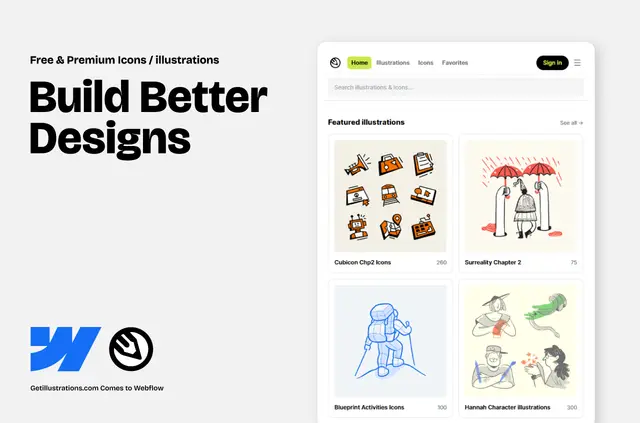
GetIllustrations works inside the Webflow Designer, where you can place illustrations and icons directly on the canvas. Its catalog is built for Webflow designs.
Browse packs, illustrations, icons, and favorites. Filter by style, free content, or owned status; search covers packs, illustrations, and icons, with relevant results first.
Feature notes
- Insert selected assets into the canvas as editable SVGs or full-resolution PNGs.
- Adjust an SVG’s individual paths, groups, and fills in Webflow Designer.
- Search illustrations, icons, and packs, with results ranked by relevance.
- Browse favorites and filter by style, free content, or owned status.
Worth checking first
Free access lets you browse, insert items from free packs, and try premium content a limited number of times each day. Access to paid content comes with Ultimate, Illustration, or Icon bundles; plans include a free option and paid plans.
When it's a good fit
Consider it for Webflow projects that need catalog illustrations or icons placed in Designer, particularly when you want to edit SVG components on the canvas. Search and filters can help you find assets by category, style, and access status.
Quick answers about GetIllustrations
Can I edit an illustration after inserting it?
Yes. SVGs remain editable in Designer, including their individual paths, groups, and fills.
Can I add assets as PNG files?
Yes. Selected assets can be inserted as full-resolution PNGs.
How do I sign in to GetIllustrations?
Sign in at getillustrations.com with Google, Facebook, or email. A polling-based handoff supports switching between browser tabs.
What does free access let me do?
You can browse the catalog, insert items from free packs, and make a daily number of trial inserts from premium content.
Which bundles give access to paid content?
Ultimate, Illustration, and Icon bundles provide access to paid content.