Style 3D Art with Pixcap Editable 3D Icons and Characters Webflow App
For designers building web and app projects, Pixcap helps you add customized 3D graphics to Webflow.
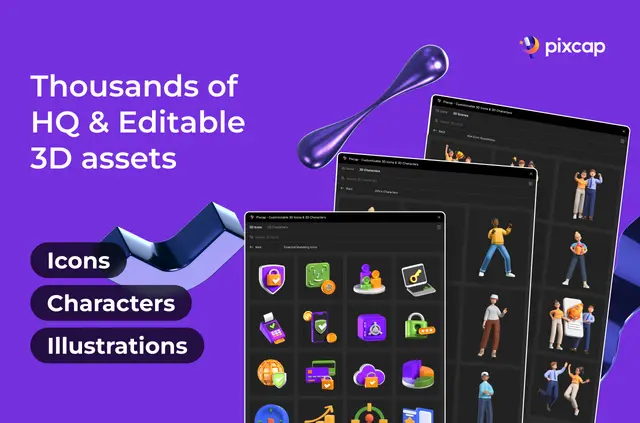
Without Pixcap, you may need to handle 3D graphics manually or use extra tools to find and shape assets. Install Pixcap in your Webflow workspace to browse its library, customize graphics, and insert them into a design.
The library has more than 15,000 icons, illustrations, and characters, organized into categories such as technology, travel, business, education, food, and sports.
Feature notes
- Change an asset’s color, rotation, scale, position, and effects in the plugin.
- Pose 3D characters to suit your design.
- Use high-resolution rendering and live previews within Webflow.
- Browse graphics grouped by category, or search and filter the library.
Where it fits
Pixcap is intended for designers creating web and app projects. Its range of categories and adjustable graphics can support different visual themes, while character posing offers another option for projects that use 3D figures.
Getting started in Webflow
From your Webflow workspace, install the Pixcap plugin. Browse, search, or filter its asset library, customize a graphic in the plugin, then insert it into your Webflow design.
Quick answers about Pixcap Editable 3D Icons and Characters
What can I change on an asset?
You can adjust its color, rotation, scale, position, and effects. 3D characters can also be posed.
Can I preview graphics before placing them?
Yes. Pixcap provides live previews within Webflow, along with high-resolution rendering.
What does free access include?
Free access includes smaller-sized PNGs. Paid assets and features are also offered.
What license comes with Pro and Elite?
Pro and Elite subscriptions include a commercial license for graphics in any format.
Who made the Pixcap plugin?
It was made by PixCap's Workspace.