Crop Images in the Designer with Friendly Crop Webflow App
Crop Webflow images in the Designer, then apply the result to a specific use or replace the original.
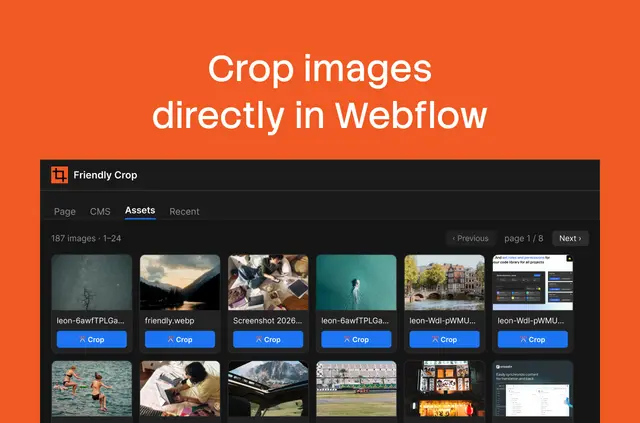
Site builders can select a page image, CMS item, component, section, or asset, adjust a crop frame in the Designer, and apply the result without downloading and re-uploading the image.
Friendly Crop resizes and compresses crops. Device previews show how an image will render on desktop, tablet, and mobile when it appears on a published page.
Where it fits
The app suits Webflow projects that use images across pages, CMS content, rich text, components, slots, or the asset library. Teams can crop images in the context where they work, rather than moving files out of the Designer first.
For a crop that should affect only its current use, Apply crop creates a new asset. Replace everywhere updates the original across its uses. Both actions can be restored.
Limits to know
Using the app requires Designer access, authorization of the site through Webflow OAuth, and a Friendly Crop account. It runs in the Designer app panel in Design or Build mode, though changes to component and asset-linked backgrounds need Design mode.
Background images set only at individual breakpoints are not detected. When a background image is referenced by a plain URL, only Apply crop is supported. CMS edits may take a canvas reload to appear, and restore history is kept separately in each browser.
Before you install
Friendly Crop is listed as paid. Its Free plan includes 15 crops; Unlimited costs €9 per month or €99 per year, excluding VAT. Crop allowances count per person across sites. A Founding member option costs €179 once instead of €259.
When installed, it can edit CMS data and assets, and read pages, components, sites, and the user profile. The app uses Webflow Designer APIs and OAuth to access site pages, components, CMS data, and assets. It is made by aardig | digital design studio amsterdam.
Quick answers about Friendly Crop
Can I crop images in CMS fields and rich text?
Yes. Supported locations include single-image and gallery CMS fields, as well as images in rich text.
What is the difference between Apply crop and Replace everywhere?
Apply crop creates a new asset for the current use. Replace everywhere changes the original asset across its uses; either action can be restored.
Can I use Friendly Crop in Build mode?
The app panel runs in Design or Build mode. Changes to component and asset-linked backgrounds require Design mode.
How does the crop allowance work across sites?
Crops count per person across sites. The Free plan includes 15 crops, while Unlimited is available monthly or yearly.
Where is restore history saved?
Restore history is stored per browser.