Sync CMS Locations to Storepoint with Storepoint Locator Webflow App
Give visitors a searchable directory of your stores and other physical locations on your Webflow site.
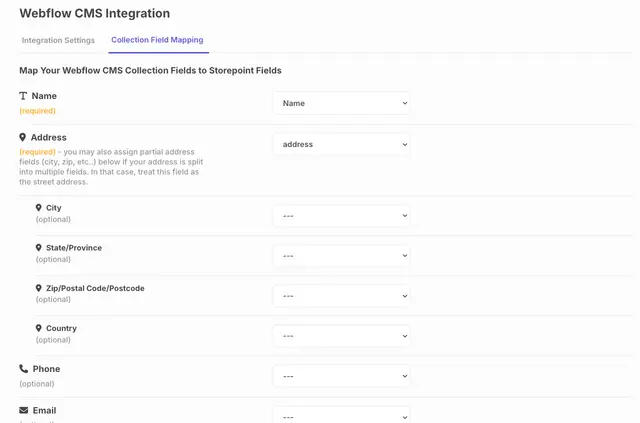
Storepoint Locator connects Webflow CMS to Storepoint’s location directory. You set it up by connecting your Storepoint account, choosing a CMS collection, mapping fields and configuring sync; then embed the locator on your published site.
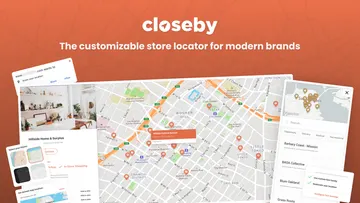
The locator can show responsive maps, markers, hours and contact details. Visitors can get directions to locations, while search analytics help you track searches and popular places.
What Storepoint Locator does
When you update location records in Webflow CMS, the changes sync automatically to the Storepoint locator. You can also import locations from spreadsheets, with Google Sheets available for extra synchronization.
Customize the locator’s appearance and features with styling, markers and filters.
Pricing and permissions
A free option and paid plans are listed, and using the app requires a Storepoint Starter, Pro or Business plan.
The app requests permission to edit sites and read CMS data, site members and your user profile.
Who it suits
This app suits Webflow projects that need a directory of physical locations, such as a store finder. It connects Webflow CMS with Storepoint and supports Google Sheets integration for additional synchronization.
Storepoint Locator FAQ
How do I set up the locator with my CMS?
Connect your Storepoint account, select a Webflow CMS collection, map its fields, configure syncing and embed the locator.
How can visitors get directions to a location?
Visitors can request directions to locations in the directory.
Can I change how the map looks?
Yes. You can apply custom styling and choose markers; the locator also supports responsive maps and filters.
Can I import locations from a spreadsheet?
Yes. You can import locations from spreadsheets, and Google Sheets can provide additional synchronization.
What can I learn from location search analytics?
The analytics help you track searches and see which locations are popular.