Embed Configurable Videos with Squeeze Webflow App
In Webflow Designer, Squeeze adds a video element to the canvas and lets builders set its playback options.
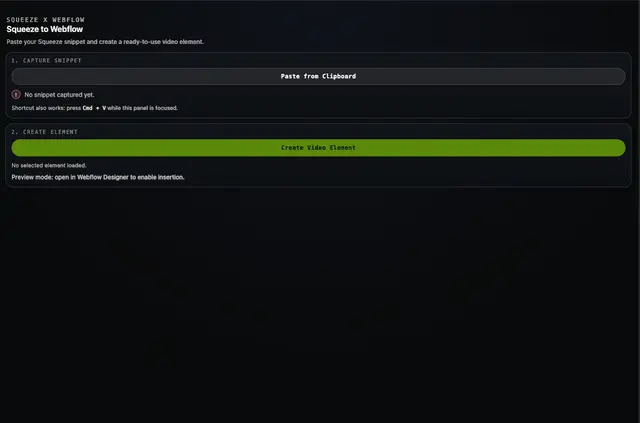
Webflow site builders can compress a video, set its playback behavior, and place it on the Designer canvas with Squeeze. The macOS app generates embed code; the extension reads that code to populate the video settings.
The workflow is intended for Webflow designers, no-code developers, and agencies building client sites with video. The app and extension pass the generated code through the clipboard.
Features worth knowing
- Set autoplay, looping, muted playback, and native video controls with visual settings.
- Use embed code copied from the macOS app to fill in the extension’s video settings.
- Add a custom video element directly to the Designer canvas, where it appears in preview.
- View and edit the video attributes in the element’s settings.
Before you install
Squeeze is listed as free. When installed, it requests permission to edit assets and read sites in Webflow. The video workflow also requires the Squeeze macOS app to compress videos and generate embed code.
From install to first use
Install the extension and open it from the Apps panel in Webflow Designer. Use the macOS app to compress a video and generate embed code, copy that code, then paste it into the extension to fill in the video settings.
Squeeze runs inside Webflow Designer and is built with the Webflow Apps SDK.
Common questions
Do I need to code to use Squeeze?
The extension offers visual controls for playback settings and uses embed code generated by the macOS app to fill in video settings.
Who makes Squeeze?
Squeeze is made by GRAFIT.
What playback options can I set?
You can configure autoplay, looping, muted playback, and native video controls.
Can I edit the video after adding it to the canvas?
Yes. The video attributes stay visible and editable in the element’s settings.