Add Social Sharing Buttons with Social Share Webflow App
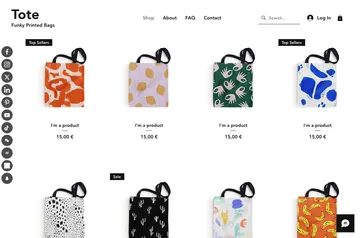
Add Social Share buttons to Webflow pages so visitors can share your content on social networks.

Without sharing buttons, you may need to add them by hand or use another tool to give visitors a way to pass your pages along. Social Share adds buttons to your Webflow site, where visitors can choose a social platform and share the content.
You can adjust button colors, sizes, icons, styles and layouts. The app is made by FlowAppz and is suited to blogs, news sites, online stores, portfolios, landing pages and other Webflow projects.
Permissions to expect
When installed, Social Share can edit custom code and sites in your Webflow account. It can also read your user profile.
How setup works
Install the app, select the social networks you want to offer, and choose the button styles. Place the buttons on your pages, then publish your site.
Social Share FAQ
Which social networks can visitors share to?
The app supports Facebook, Twitter, LinkedIn, Pinterest, WhatsApp and other social networks.
Can I change how the buttons look?
Yes. You can customize their colors, sizes, icons, styles and layouts.
Will the buttons work on mobile devices?
The buttons are designed for mobile devices.
What is the app's intended effect on site performance?
The buttons are intended to have a low impact on site performance.