Add Social Follow Links with Social Icons Webflow App
Give website visitors social profile links for following a business or contacting it through social platforms.
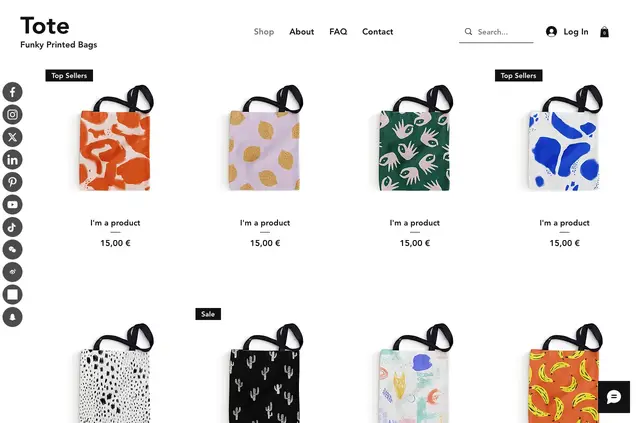
Adding social profile links by hand or using another tool can mean extra setup for site teams. Smartarget Social Follow Us adds social links to a website, where visitors can follow a business or contact it on social platforms.
The icons work on desktop and mobile. Smartarget says the app works across website platforms.
Pricing and permissions
Social Icons is listed with a free option and paid plans. Its Webflow access includes permission to edit custom code and read sites.
What Social Icons does
In a Webflow project, the app provides links to a business’s social profiles. Site owners can customize the links to match the website’s style.
Who it suits
This app suits businesses that want website visitors to follow their social accounts. The profile links also give visitors a way to contact the business through social platforms.
Common questions
Can the social icons appear on desktop and mobile?
Yes. The icons work on both desktop and mobile devices.
Can I style the social profile links to match my site?
Yes. The links can be customized to fit a website’s style.
Can visitors contact a business through the links?
Yes. Visitors can use the profile links to contact the business through social platforms.
Does Social Icons work on website platforms besides Webflow?
Smartarget says the app works across website platforms.
What Webflow permissions does the app request?
When installed, it requests permission to edit custom code and read sites.