Publish Quotient Blog Posts to CMS with Quotient AI Webflow App
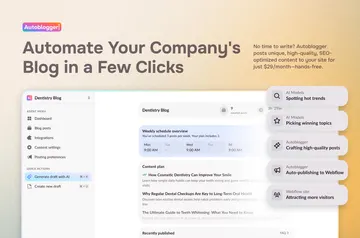
Publish blog posts from Quotient to a connected Webflow CMS collection and sync changes to existing items.
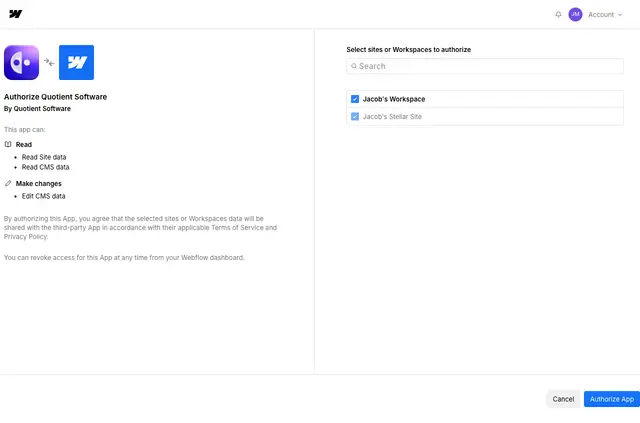
Quotient AI does its work through a connection to your Webflow CMS, rather than inside the Designer or on your published site. Made by Quotient Software, it is for B2B marketing teams publishing blog content through Quotient.
What it handles
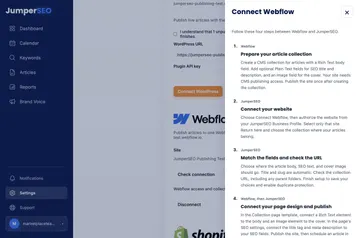
Connect a Webflow site with OAuth, select the CMS collection for blog posts, and map Quotient content fields to the matching Webflow fields. Then publish a post to Webflow with one click. When a post changes, Quotient can update its existing CMS item.
Access and pricing
Quotient AI is listed as paid. When you install it, the requested Webflow access lets it read sites and edit CMS content, which supports connecting a site and managing blog items in your selected collection.
Common questions
How do I add Quotient AI to a Webflow site?
Connect your Webflow site to Quotient using OAuth, then choose the CMS collection for your blog posts.
Does Quotient AI suit client projects?
It suits B2B marketing teams that publish blog content through Quotient.
Can Quotient AI work with my CMS items?
Yes. Map Quotient blog fields to Webflow CMS fields, publish posts, and have Quotient update the existing item when a post changes.
Can I publish a post from Quotient to Webflow?
Yes. After connecting your site and selecting a collection, you can publish a post to Webflow with one click.
Can Quotient update a Webflow item after a post changes?
Yes. Quotient can update the existing Webflow CMS item when its post changes.