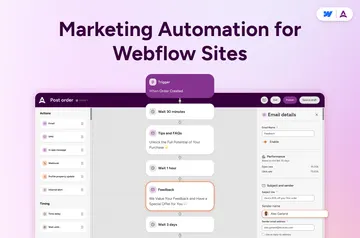
Sync Form Contacts to Email Marketing with QuillJet Webflow App
Send Webflow form or order contacts to an email marketing tool with QuillJet.
After setup, contacts from your Webflow forms or orders can be created or updated in a selected email tool. You choose a destination list or audience and define how each sync rule handles fields and consent.
QuillJet is made by Qitalo. It can also process CMS item events when enabled; inventory events are recorded but do not create contacts.
Caveats
Form syncing needs a published Webflow form. Order syncing requires Webflow Ecommerce, while CMS event syncing needs collections and must be activated. Webflow limits on form submissions and Ecommerce still apply.
Events over QuillJet’s monthly cap are not delivered later. Mailchimp uses its own sign-in; the other six tools use API keys, and ActiveCampaign also needs an account URL. QuillJet adds event webhooks but does not change Webflow pages, CMS items, products or orders, or add code to your site.
Who gets the most out of it
QuillJet suits Webflow site owners who want form or order contacts sent to an email marketing tool they already use. It is a fit when you want to choose a destination audience and control field mapping, transforms, conditions and consent choices.
Contacts are matched by email when QuillJet creates or updates them. GetResponse is an exception: existing contacts are left unchanged. You can choose to subscribe contacts or add them without subscribing.
What it asks for
The Free plan includes one site, one email tool and 2,000 events per month. Paid plans are Growth at $19 per month, Pro at $39 and Agency at $79.
When installed, QuillJet requests permission to read your CMS, forms, Ecommerce, sites and user profile. It needs a Webflow CMS plan and an Ecommerce plan.
QuillJet FAQ
How do you install QuillJet in Webflow?
Install QuillJet, connect your Webflow site and email tool, choose a destination list or audience, then create and test a sync rule.
How can you check whether a contact sync was delivered?
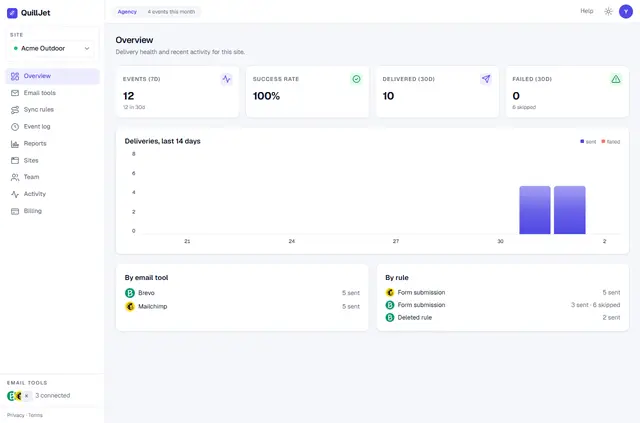
QuillJet’s event log shows delivery status. Failed deliveries can be retried automatically or retried manually.
Can QuillJet change Webflow content or add code to a site?
No. It adds event webhooks but does not edit pages, CMS items, products or orders, and does not add site code.
What can you configure in a sync rule?
Rules support visual field mapping, transforms, conditions and choices for subscribing contacts or adding them without subscription.
What happens when QuillJet matches an email address?
QuillJet creates or updates a matching contact, except in GetResponse, where existing contacts stay unchanged.