Manage Cookie Consent with QookieQloud Cookie Consent Webflow App
Webflow site owners use QookieQloud Cookie Consent to manage visitor consent and cookie settings.
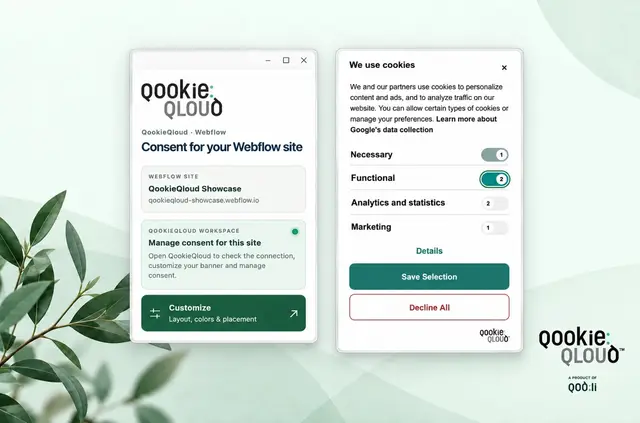
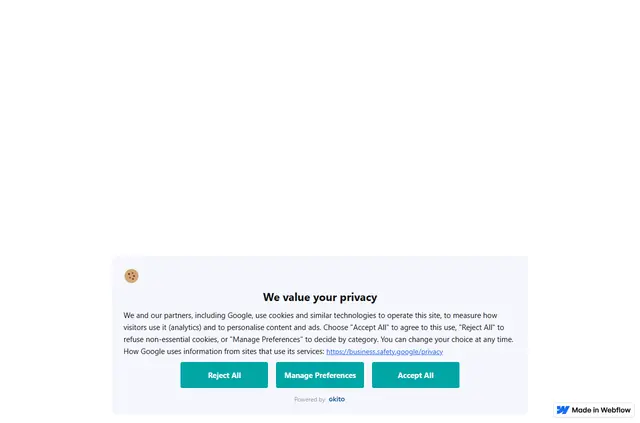
QookieQloud Cookie Consent is for site owners and teams who want to handle visitor consent through QookieQloud. It adds a cookie banner to a Webflow site and provides controls for its settings, detected cookies and consent records.
A site needs to support custom-code installation and publication to use the app. Banner designs and language options depend on the plan.
What it asks for
The app has a free option as well as paid plans. When installed, it requests permission to edit pages, custom code and sites.
How setup works
Authorize a Webflow site, sign in to QookieQloud, then choose an existing domain or create one for the banner. QookieQloud scans new domains for pages and cookies.
Publish the site in Webflow to put the banner code live. To remove that code, disconnect the site through QookieQloud and publish again. The Designer app also offers shortcuts to cookie, consent and customization areas, which open in a browser.
What QookieQloud Cookie Consent does
In a Webflow project, QookieQloud provides a visitor consent banner and a place to manage its settings, discovered cookies and consent records. Its AI-assisted analysis classifies cookies and trackers found during domain scans.
Banner layout choices and design controls vary by plan. Depending on the plan, the visitor-facing banner can also support more than one language.
Common questions
Does QookieQloud Cookie Consent suit client projects?
It can suit Webflow client sites that support custom-code installation and publishing, when their owners want to manage visitor consent through QookieQloud.
Who is the developer behind QookieQloud Cookie Consent?
It is made by Qodli AB Developer.
Does the banner support multiple languages?
It can support multiple languages, depending on the plan.
How do I remove the banner code from a Webflow site?
Disconnect the site through QookieQloud, then publish the site again in Webflow.